How to contact a Porkbun registrant
Need to contact an owner of a domain registered at Porkbun? Even though most domains at Porkbun are RDAP (WHOIS) Privacy-protected or redacted, you can still get in touch with the registrant directly using our contact form. We'll show you how.
1
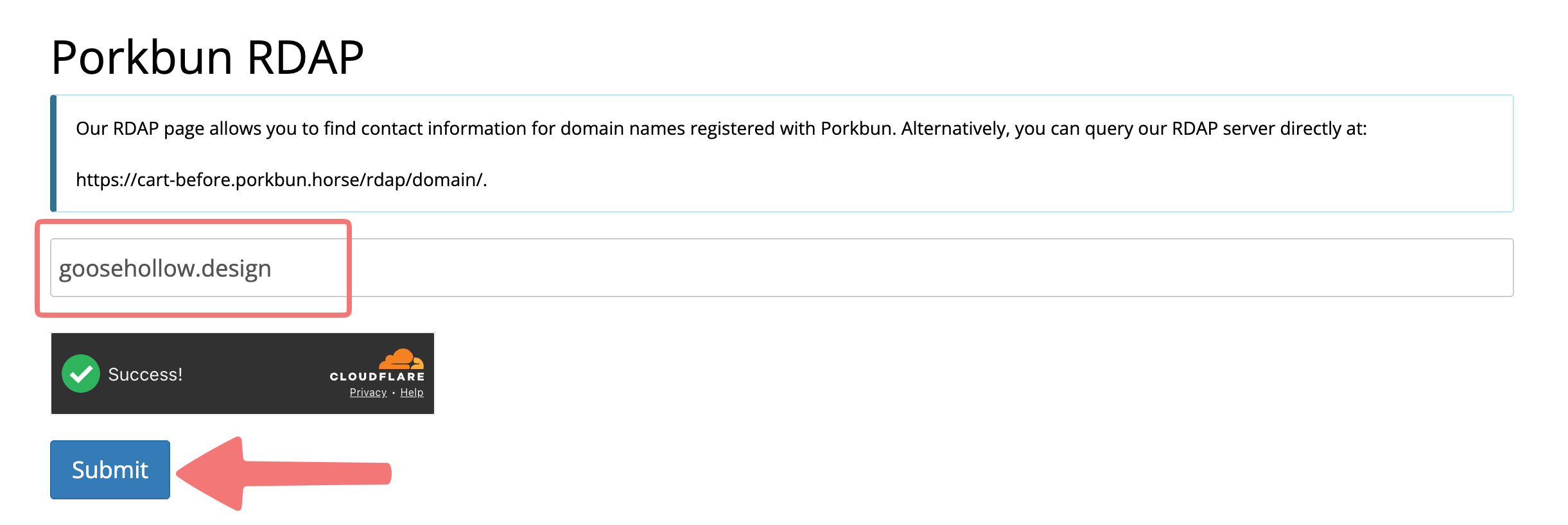
Go to porkbun.com/whois and search for the domain in question. Make sure that you see a success message on the CAPTCHA, then click "Submit".
2
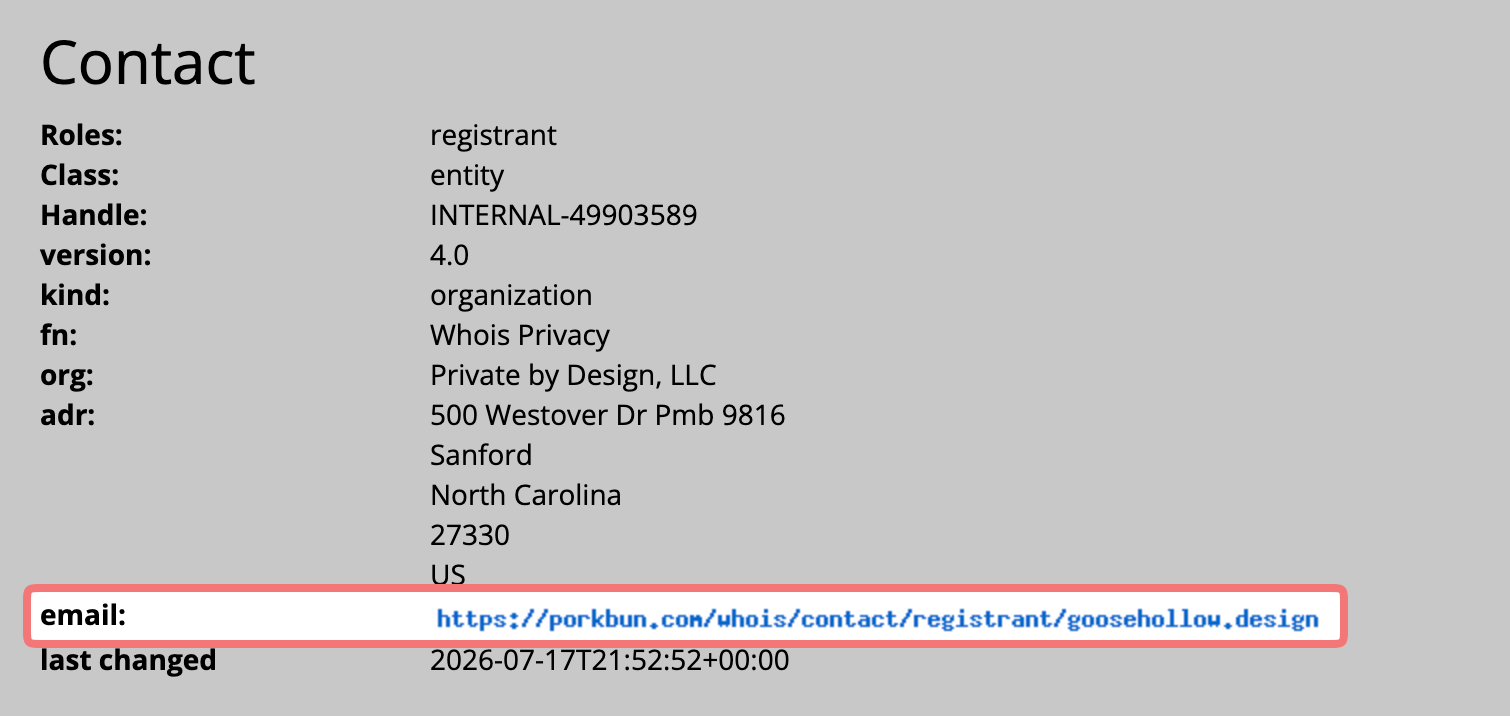
Search results will appear on the same page. Scroll down to the first "Contact" section, and look for the URL displayed next to "email".
3
The URL contained in the "email" field is where you'll find the contact form for that domain. In your browser's URL bar, type in that URL. The URL should be formatted like this, but with the domain you're searching for instead of "domain. example":
https://porkbun.com/whois/contact/registrant/domain.example
4
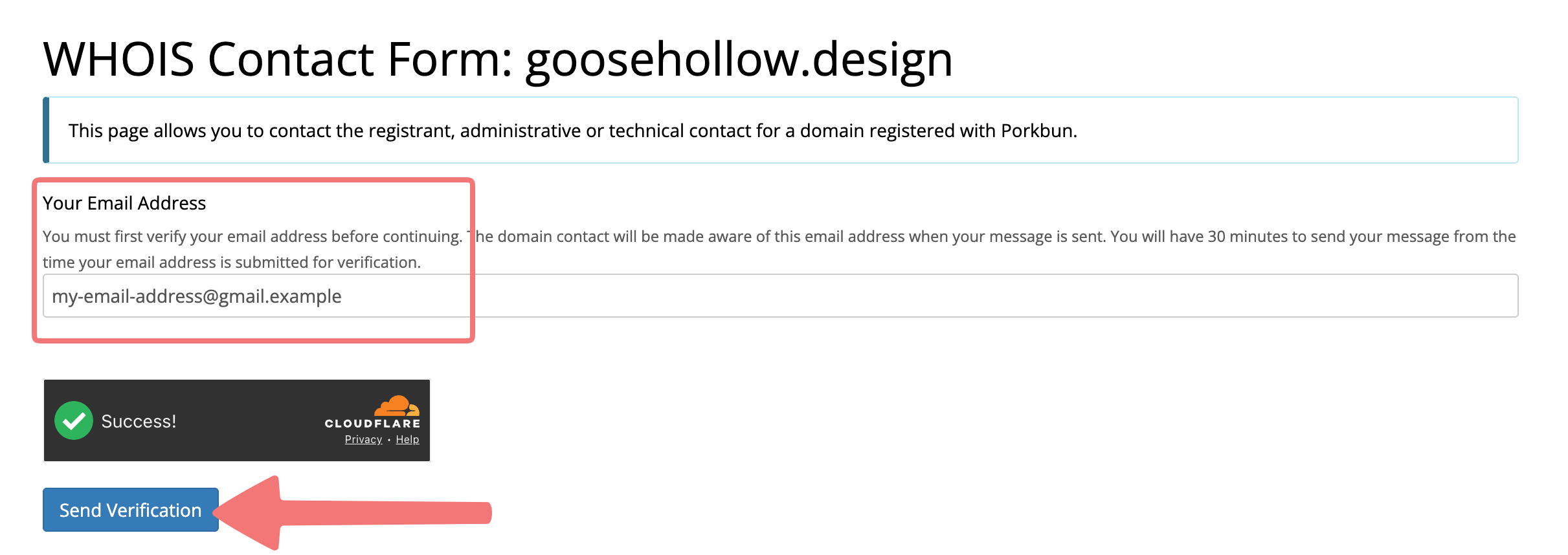
You'll be taken to a new page displaying the domain name you searched for. As a spam prevention measure, you will need to enter your contact email address and verify it in order to send your message.
The email address you enter will be provided to the owner of the domain, so make sure it's an email address you're comfortable being contacted at. Enter the email, then click "Send Verification".
5
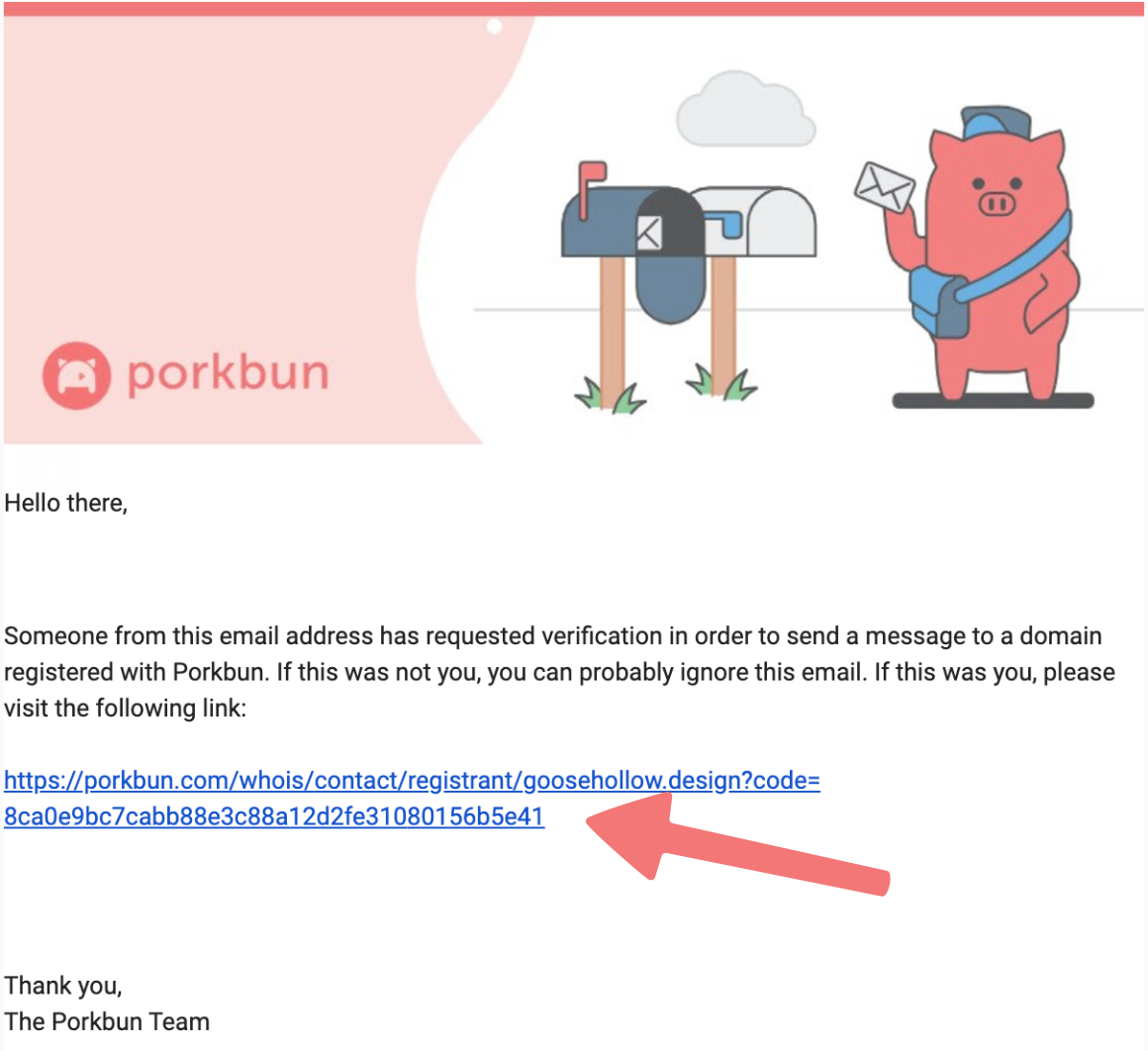
Check the email address you entered for a new message from Porkbun. You should see "WHOIS Contact Verification" in the subject. Within that email, click on the verification link that is provided.
6
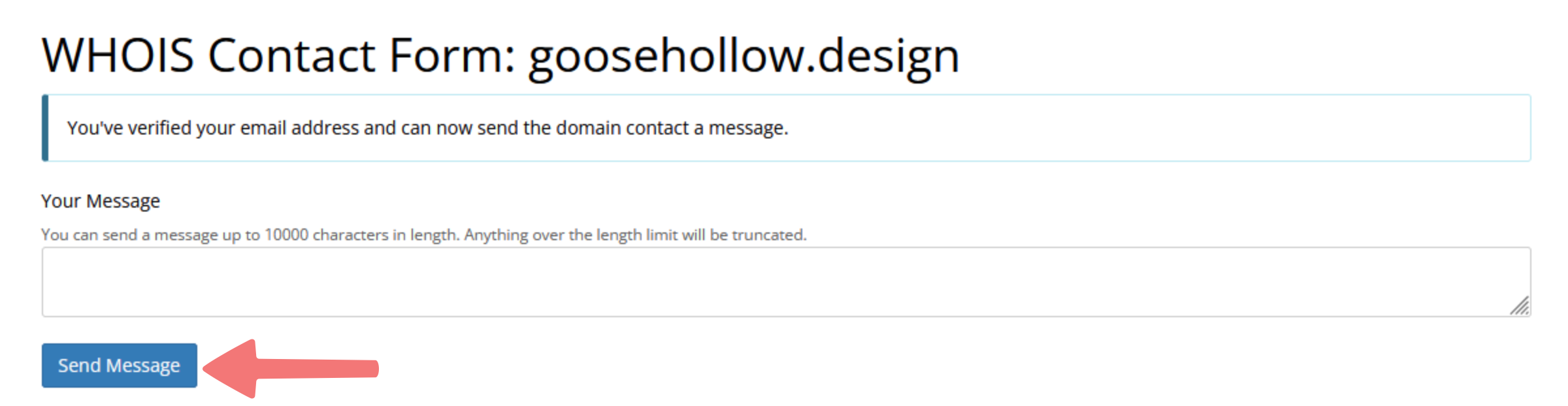
You'll be taken to a page showing that your email was successfully verified. You can now enter the message you want to send to the registrant, then click "Send Message".
After submitting it, you'll see one more notice that lets you know the message was sent successfully. That's it!
Feel free to reach out to our support team if you have any questions about contacting a domain registrant.