How to switch your Easy PHP plan
Looking to upgrade (or downgrade) your existing Easy PHP plan? You're in the right place! Here's how to do it.
1
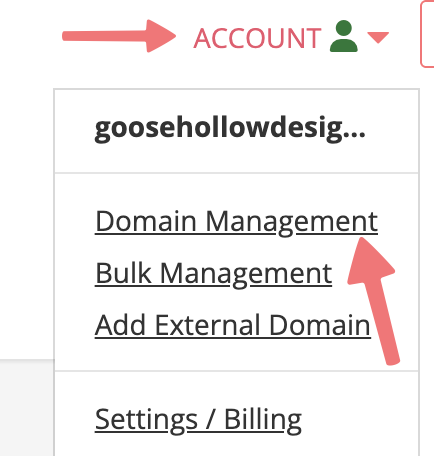
Log in. This should take you to the Domain Management screen. If you're already logged in, click on ACCOUNT in the top right, and select Domain Management.
2
Locate the domain with the hosting plan you're looking to switch. To the right of the domain is a row of icons. Click the PHP icon that is the first option in that list, under the "WEBSITE" column.

3
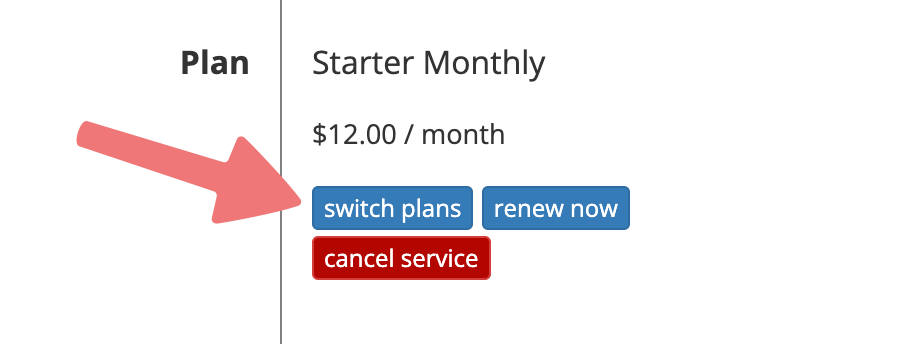
You'll be directed to the Easy PHP hosting dashboard for your domain. Scroll down to the "Plan" section, and click the button labeled "switch plans".
4
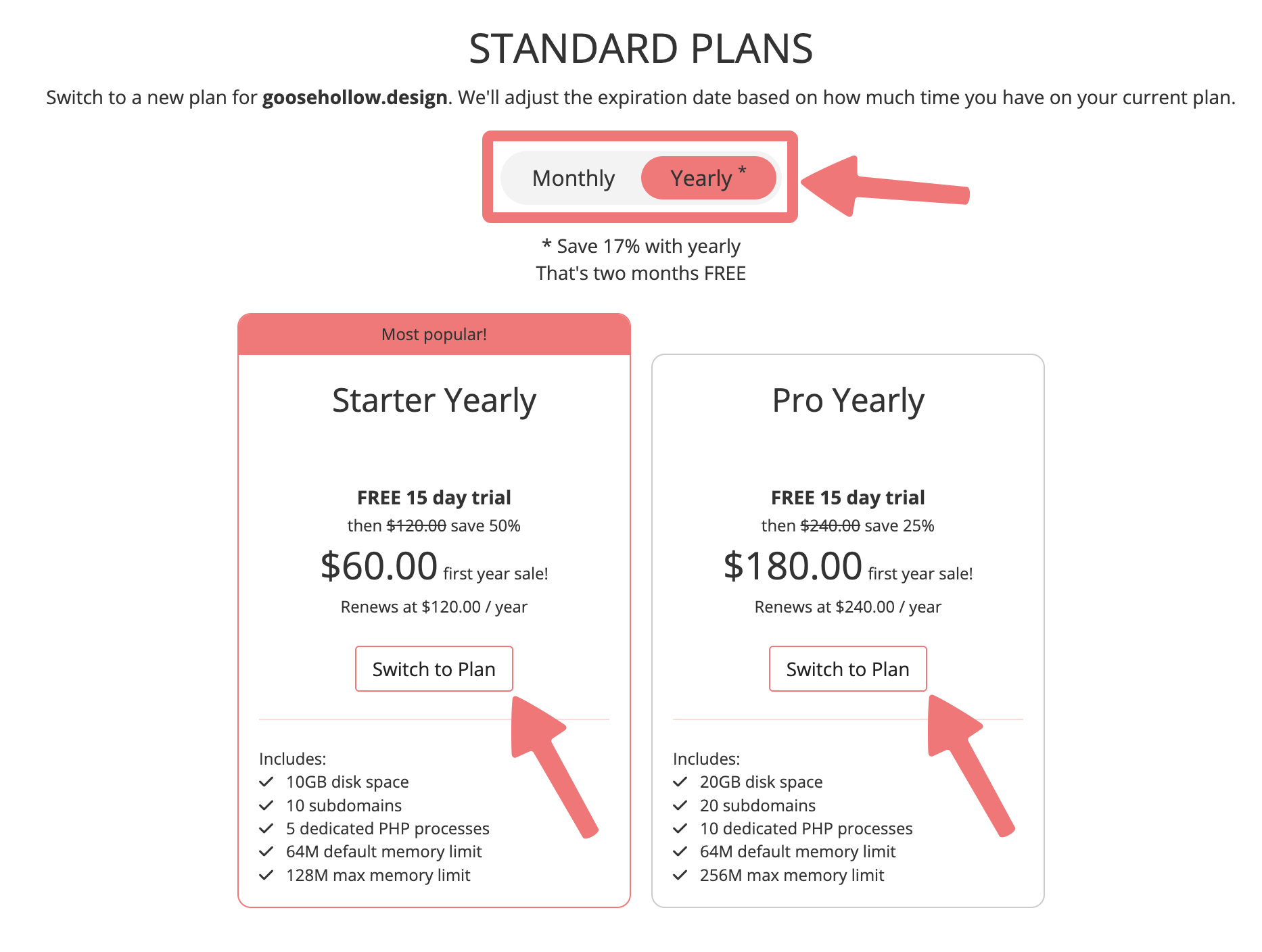
You'll be taken to the Easy PHP hosting page where you can choose your new plan. You can choose either a monthly or a yearly subscription (you'll save some money if you choose a yearly plan). Choose the tier you want to switch to, then click the "Switch to Plan" button under that tier.
5
That's it! Your plan has been changed, and you'll be directed back to the hosting dashboard for your domain. You can confirm the change by scrolling down to the "Plan" section again and reviewing your new subscription.
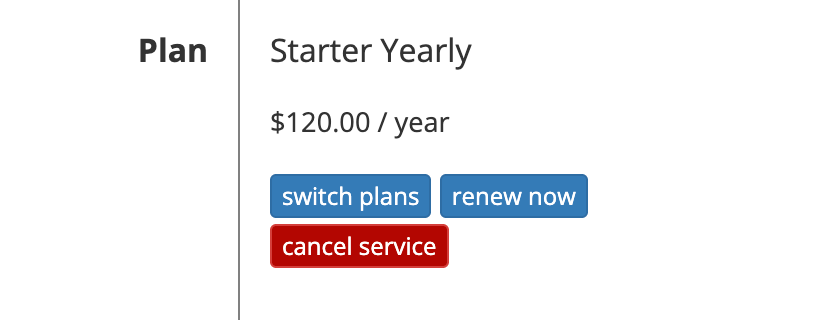
If you want to renew your hosting plan, you can set it to automatically renew on the same page, or you can manually renew it with the "renew now" button under the Plan section.
Feel free to get in touch with our support team if you have any questions about managing your Easy PHP hosting.
