How to Redirect a Porkbun Hosted Email Account to another Email Address
There are a number of reasons why you might want to have messages sent to your Porkbun Hosted Email account forwarded to another email address. Our standard email forwarding does not support using the same email address as your hosted account, but fear not email piggie, because Porkbun's webmail is here to the rescue!
The following steps walk through the process:
- Log into your Porkbun Hosted Email account at webmail.porkbun.com.
-
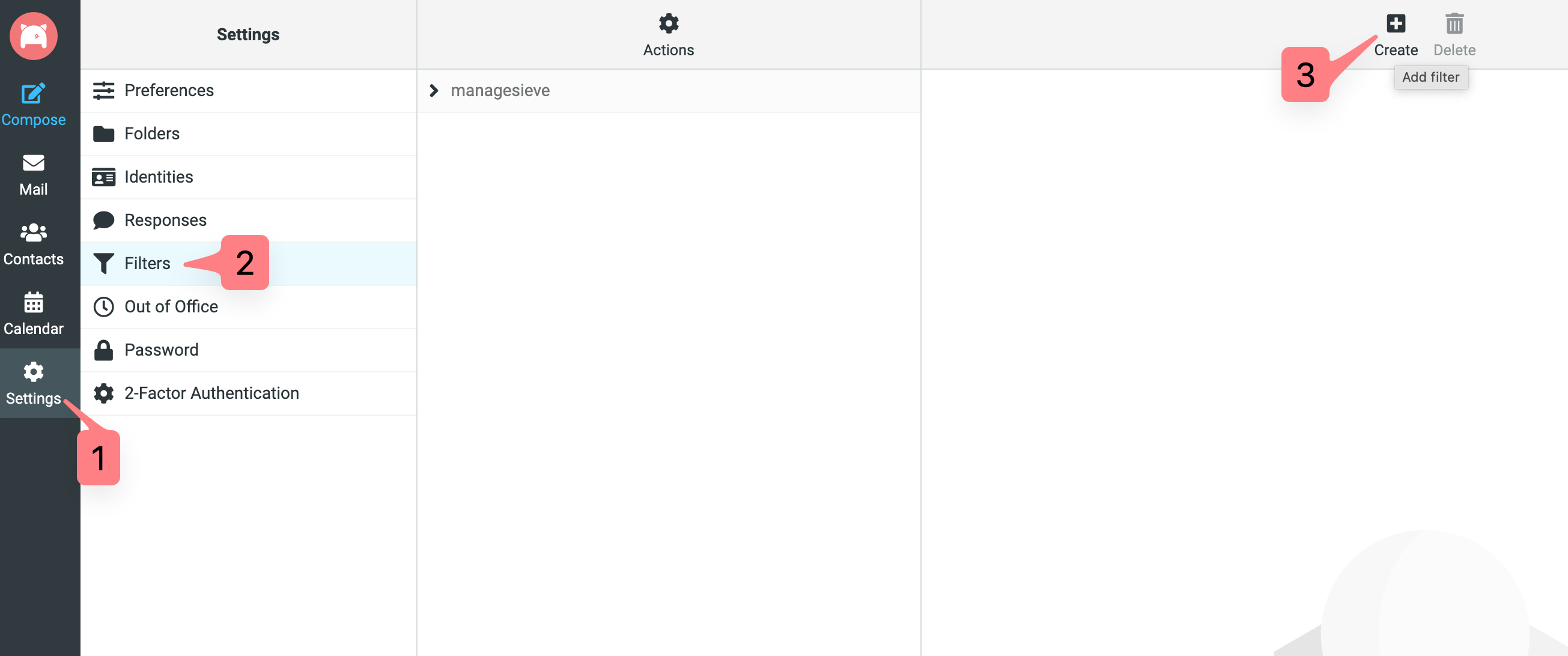
Click on Settings, then Filters, then Create.
-
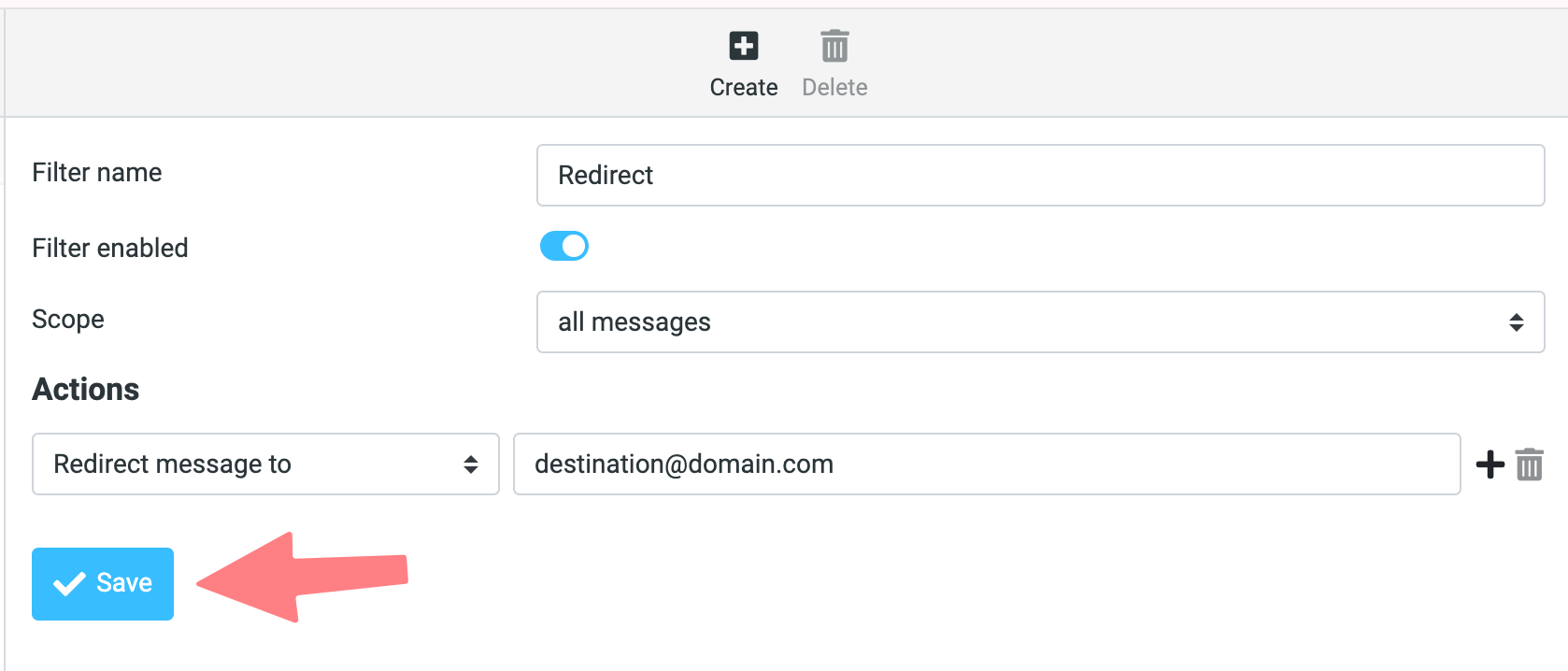
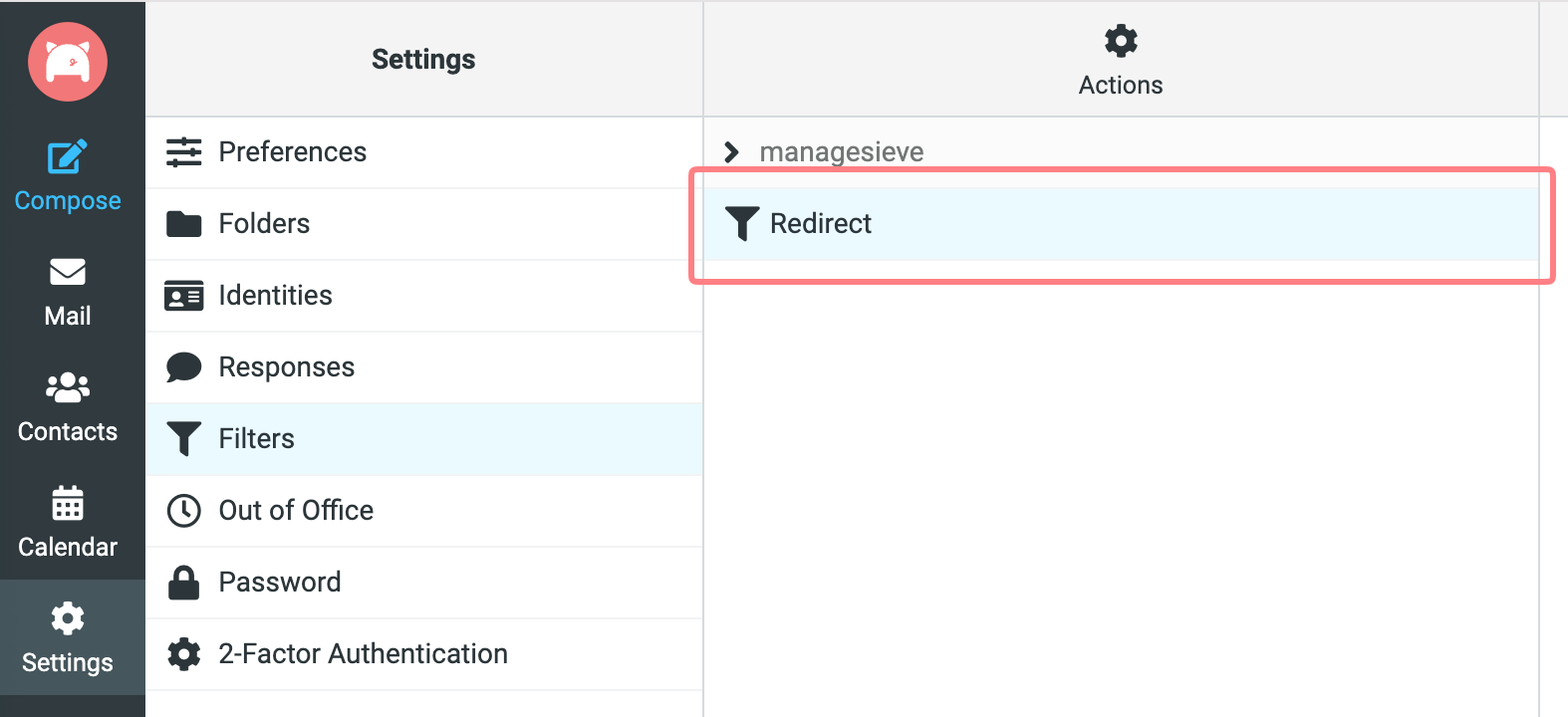
Then configure the new filter as shown in the screenshot below, then click Save. You should then see your redirect filter listed in the center column.
That's it. Now any message sent to this hosted email account will be both delivered to the Porkbun mailbox, and also forwarded to the destination email you specified in the filter!