Can Domain Names Be Changed or Refunded?
Domain names cannot be changed after they are registered. That said, if you recently registered a domain that you've changed your mind about, or if your domain automatically renewed without you intending to renew it, you might wonder whether domains can be refunded.
The short answer: It depends. The first section of this guide will explain more.
When you can and cannot get a refund
For the majority of TLDs (top-level domains) there is a small grace period after they are registered or renewed during which the domain registration/renewal can be cancelled and refunded by the respective registry. Here at Porkbun, we offer a four day (96 hour) grace period, where eligible domains can be deleted and refunded from within your account.
After the grace period, your registrar (that's us!) is no longer able to recoup their own costs from the domain purchase, so we are not able to offer a refund.
If you've recently registered or renewed a domain that does qualify for this 96-hour grace period, the next sections of this guide will show you how to delete the domain and receive a refund.
Note
Some TLDs do not qualify for refunds on registrations and/or renewals. We cannot guarantee refunds for any purchase made on Porkbun. Reach out to our support team if you have any questions or concerns about refunding a domain.
How to refund a new domain registration
If you've changed your mind on the domain you want to register or if you noticed a typo in the domain name you registered, here's how you can cancel the registration and get a refund.
1
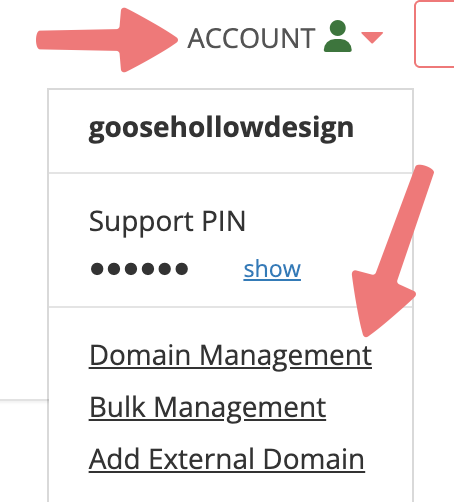
Log in to your Porkbun account and you should arrive at the Domain Management screen. If you're already logged in, click on ACCOUNT in the top-right corner and select "Domain Management" from the dropdown menu.
2
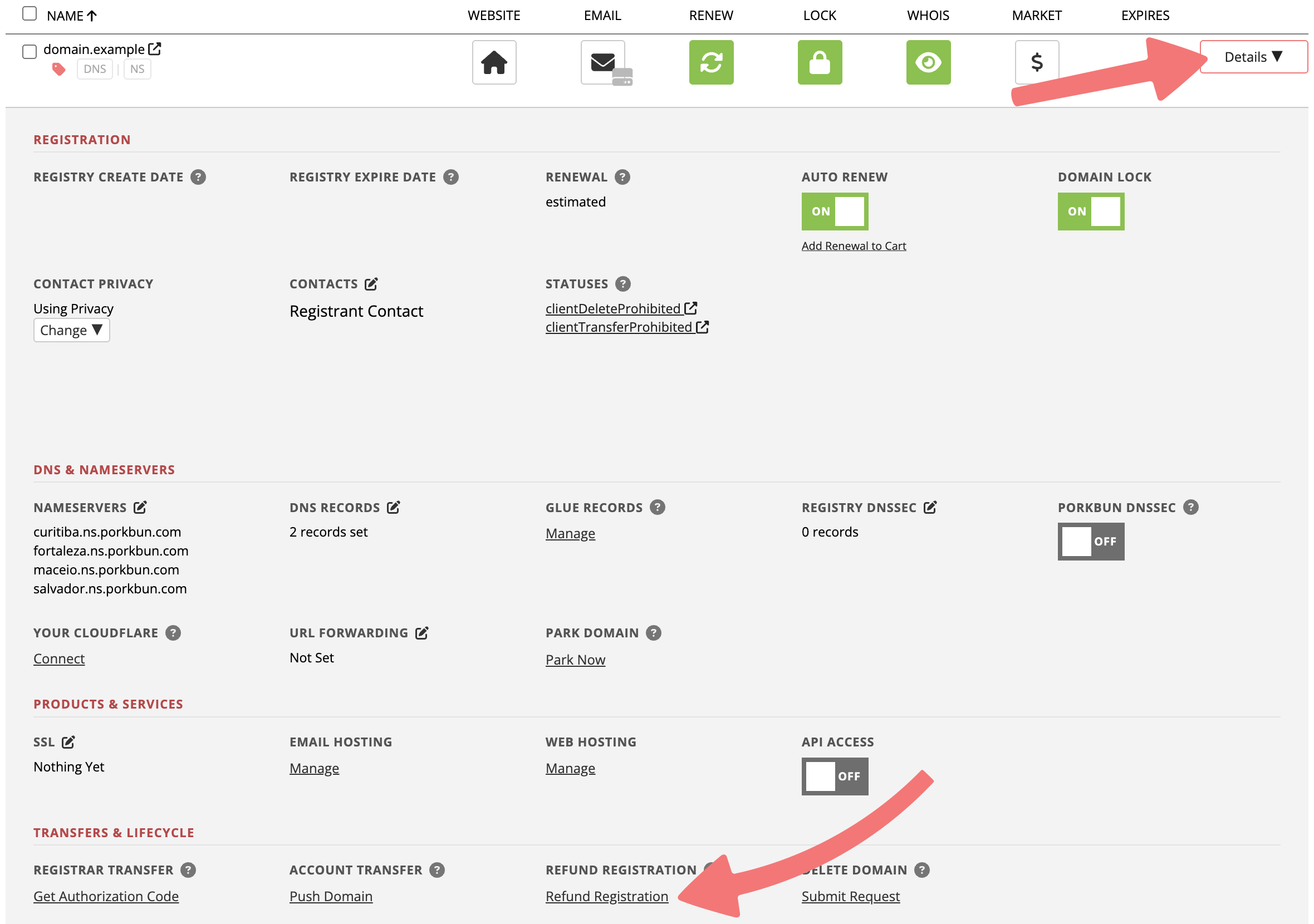
On the Domain Management page, locate the domain you wish to cancel the registration for. Click on the "Details" dropdown button all the way to the right of the domain.
3
In the details menu that expands below the domain, look for the option that's titled "Refund Registration" and click it.
4
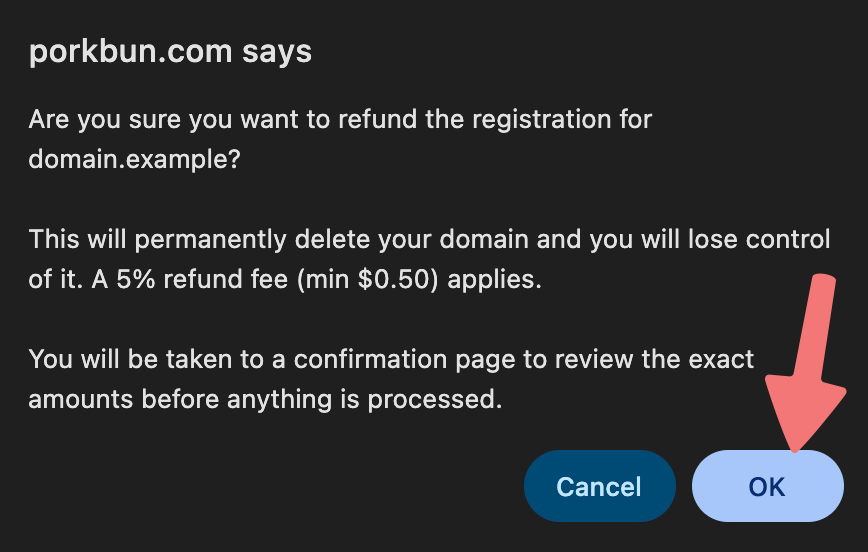
A pop-up window will appear asking you to confirm that you want to delete the domain and receive a refund. Click on "OK" to go to the final confirmation page.
5
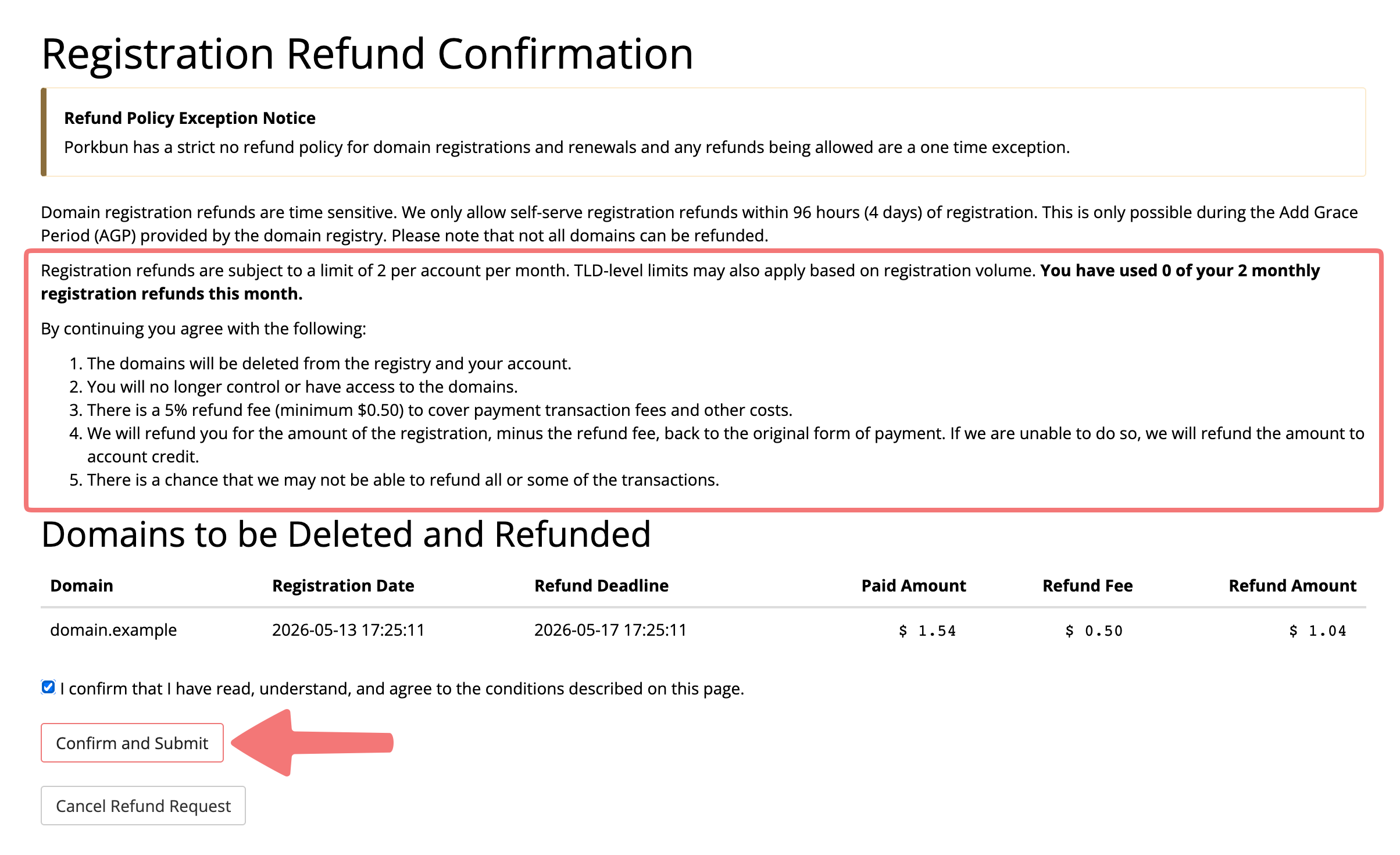
On the confirmation page, you can review all of the relevant information. It's important to understand that cancellations/refunds are not reversible, and that there is a refund fee of 5%. Once you have reviewed all of the terms and would still like to continue, click on the confirmation checkbox, then click "Confirm and Submit".
6
That's it! You will be brought back to the same page with a confirmation message that shows your domain was successfully refunded. You can now leave the page, and if you return to your Domain Management page, the domain will no longer show up.
How to refund an unwanted domain renewal
1
Log in to your Porkbun account and you should arrive at the Domain Management screen. If you're already logged in, click on ACCOUNT in the top-right corner and select "Domain Management" from the dropdown menu.
2
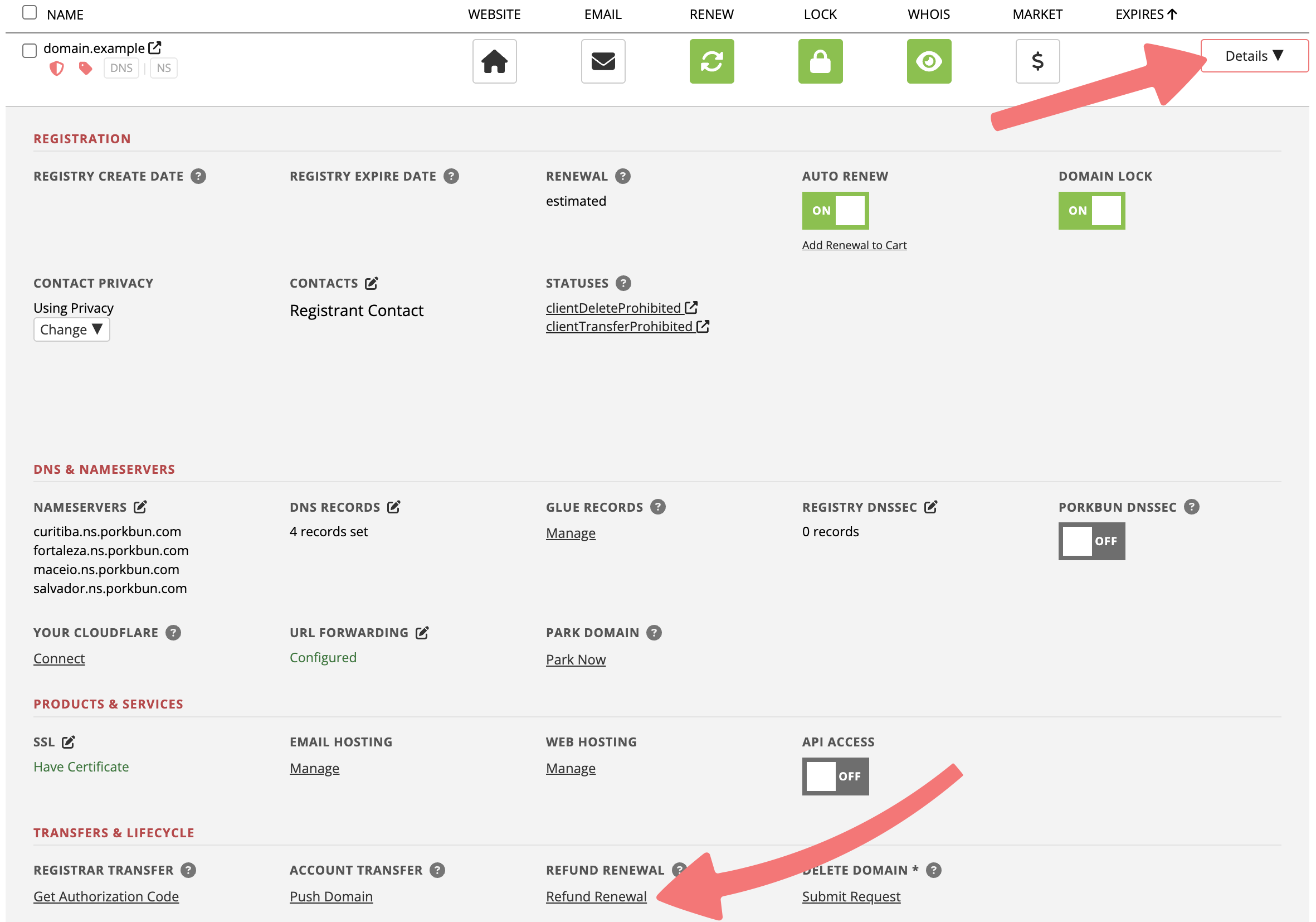
On the Domain Management page, locate the domain you wish to cancel the registration for. Click on the "Details" dropdown button all the way to the right of the domain.
3
In the details menu that expands below the domain, look for the option that's titled "Refund Renewal" and click it.
4
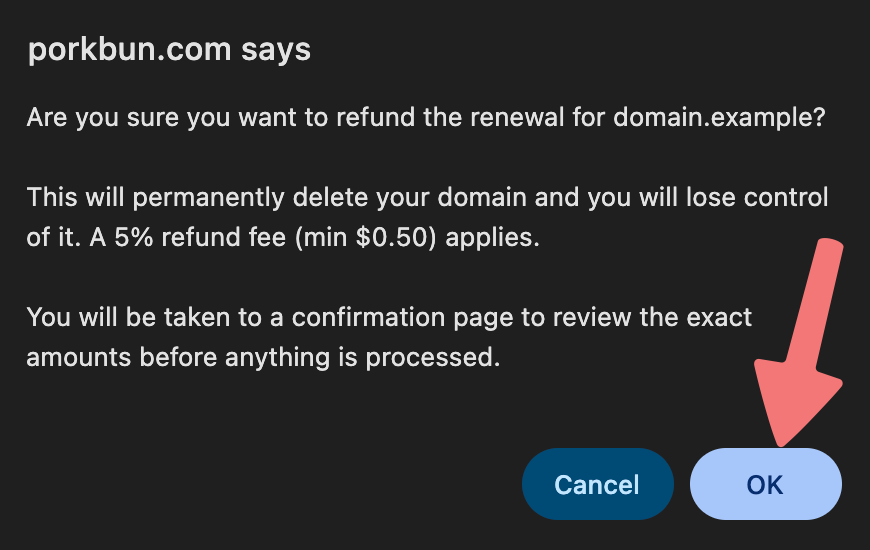
A pop-up window will appear asking you to confirm that you want to delete the domain and receive a refund. Click on "OK" to go to the final confirmation page.
5
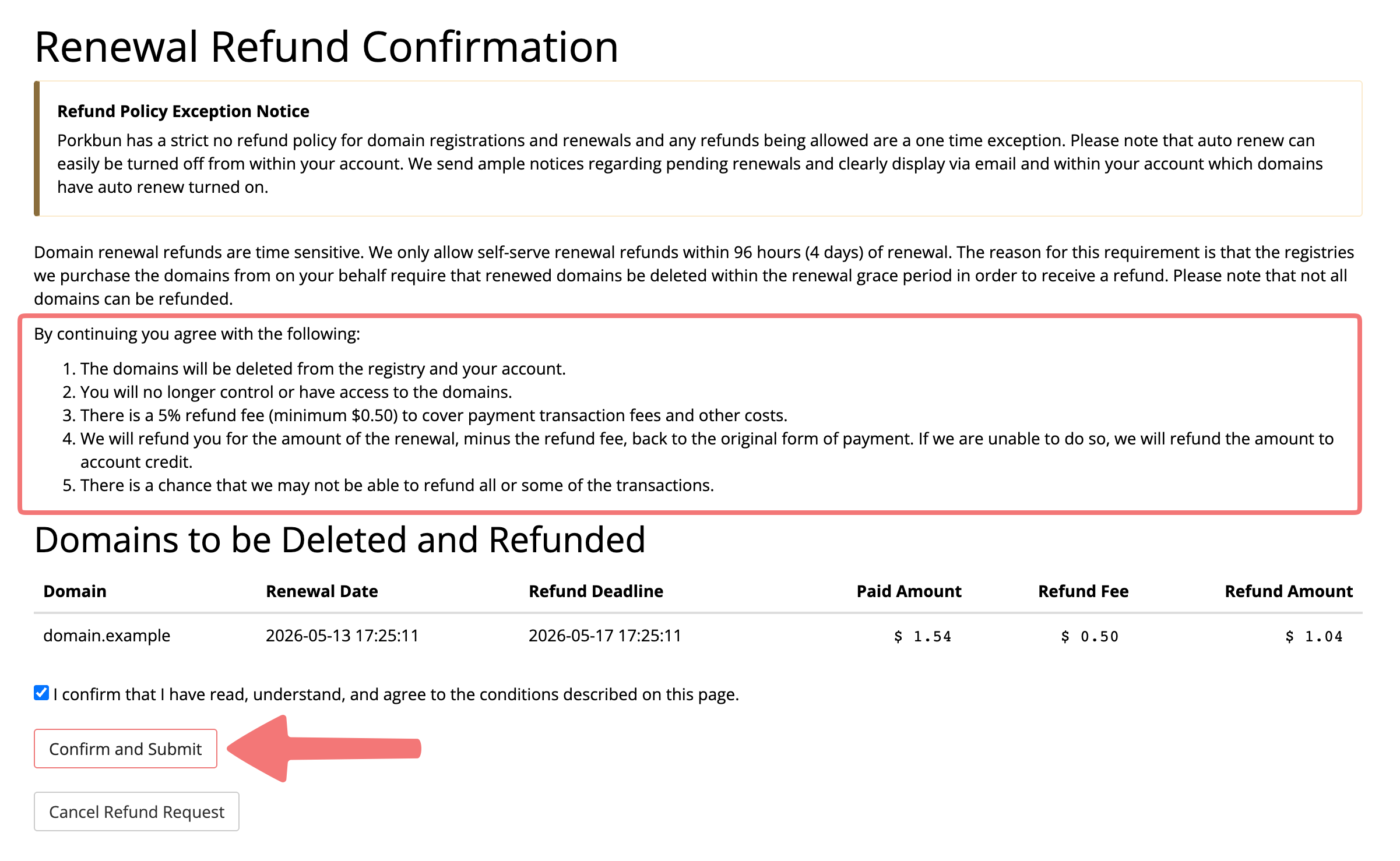
On the confirmation page, you can review all of the relevant information. It's important to understand that cancellations/refunds are not reversible, and that there is a refund fee of 5%. Once you have reviewed all of the terms and would still like to continue, click on the confirmation checkbox, then click "Confirm and Submit".
6
That's it! You will be brought back to the same page with a confirmation message that shows your domain was successfully refunded. You can now leave the page, and if you return to your Domain Management page, the domain will no longer show up.
Feel free to reach out to our support team if you have any questions or concerns about getting a domain refunded.