How To Turn On DKIM and DMARC
DKIM and DMARC are email security standards that work together to secure your domain's email services.
DKIM makes sure messages aren't altered in transit, and removes the "via porkbun.com" notification in Gmail and other email clients. DKIM stands for DomainKeys Identified Mail.
DMARC is an additional security measure that uses SPF and DKIM to help prevent email spoofing. DMARC stands for Domain-based Message Authentication, Reporting, and Conformance.
In this guide we'll show you how to enable DKIM and DMARC on your domain if you're using Porkbun's email hosting service. We'll also show you our fancy tool for creating your own custom DMARC record which can be used with any email provider!
How to enable DKIM and DMARC on Porkbun
You'll most likely want to enable these features on your domain if you're using Porkbun's email hosting service. Here's how!
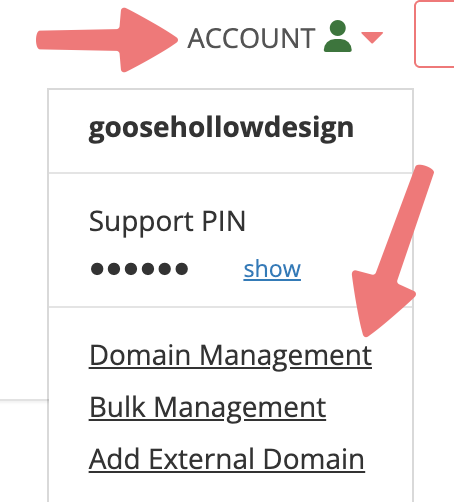


Note
If your "DMARC Notice" section contains a different message that warns you about not being able to configure your domain for DMARC, skip to the next section of this guide for more information.
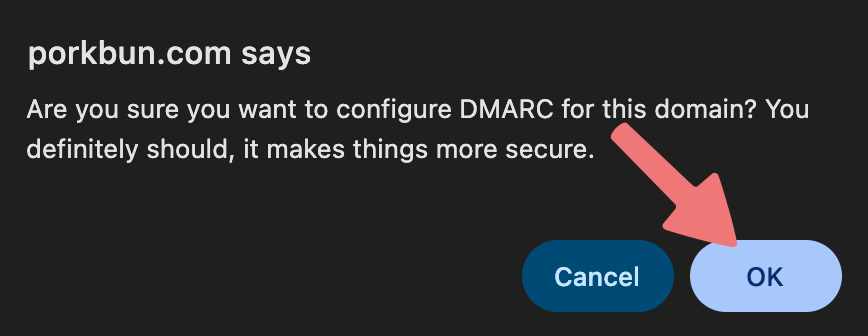
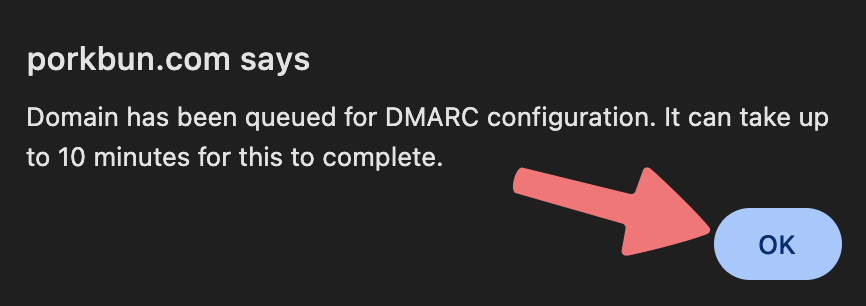


That's it! Your domain should now be properly configured with DKIM and DMARC records, enabling better email security and deliverability.
What to do if you see a DMARC warning
You may find that instead of a "DMARC Notice" section, you're shown a "DMARC Warning" section letting you know we aren't able to configure DMARC for your domain automatically:

This typically means that your domain is using third-party DNS nameservers instead of the default nameservers provided by Porkbun.
If you are intentionally using third-party DNS nameservers to host the DNS/website for your domain, don't worry! You can still use Porkbun's email hosting services and get your DMARC and DKIM records working. You will just need to follow our guide on using Porkbun's email hosting while your DNS is hosted elsewhere.
DMARC generator for use with any email provider
We've created a handy tool that will allow you to customize and generate your own DMARC record. DMARC records are standardized, so you can use them with any email hosting provider you want such as Google Workspace or Microsoft 365. Check the tool out here:
porkbun.com/tools/dmarc_generator
For more information on what options to choose when creating your own DMARC record, refer to the MxToolbox guide on how DMARC records work.
Feel free to reach out to Porkbun's support team if you need any assistance setting up DKIM and DMARC on your domain.