How to Transfer a Domain From GoDaddy to Porkbun
So, you want to learn how to transfer a domain from GoDaddy to Porkbun? The process can seem daunting, but we're here to help. Let’s do it!
Steps to transfer a domain from GoDaddy
Note
If you have a paid "Domain Protection" plan from GoDaddy, that will need to be downgraded before you can transfer your domain to Porkbun. Follow GoDaddy's guide to downgrade your plan if needed.
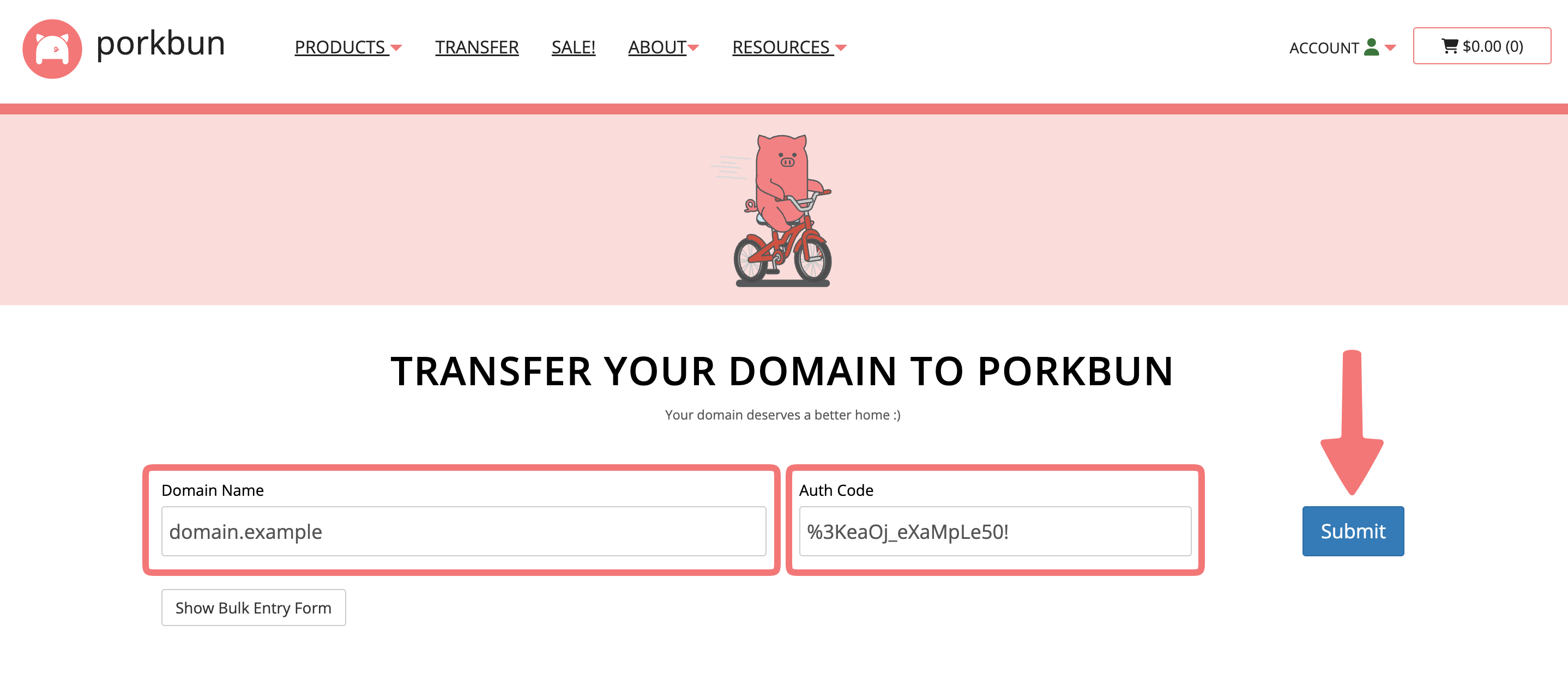
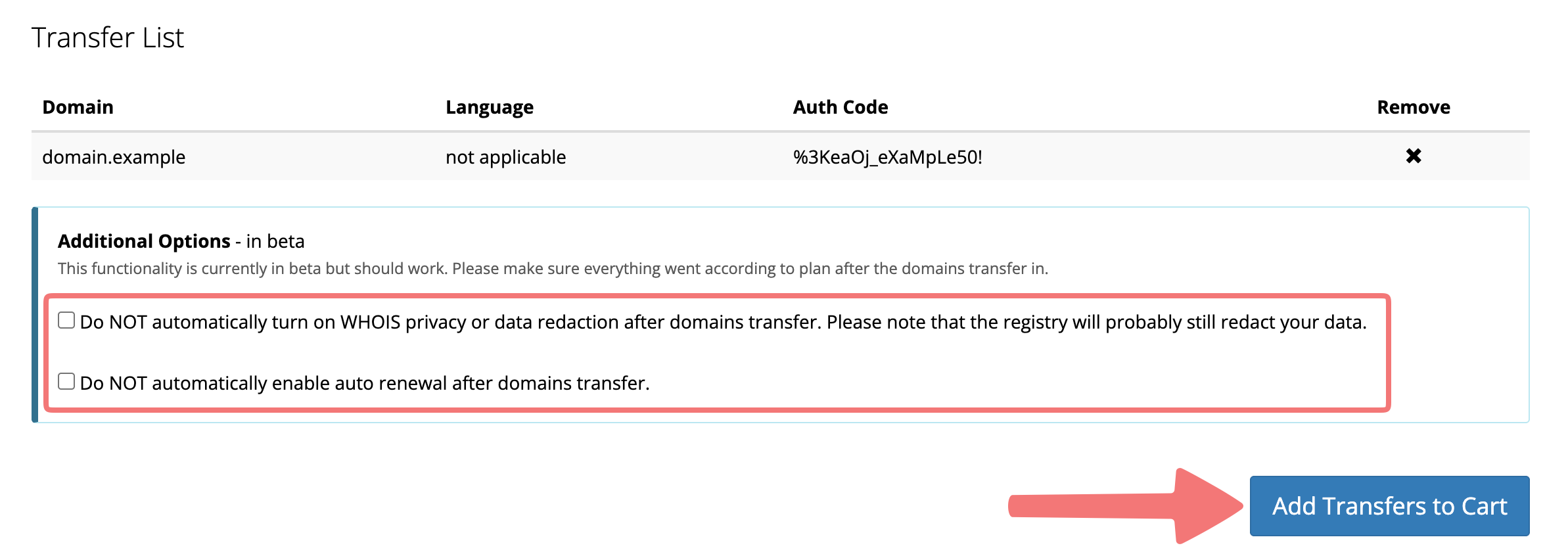
Note
If you're just transferring the domain name itself and you don't have any other services attached to it such as email hosting or web hosting, you can leave the third box unchecked. If you are concerned about avoiding interruptions after your domain transfers, we highly recommend reviewing our guide on transferring domains with no downtime.
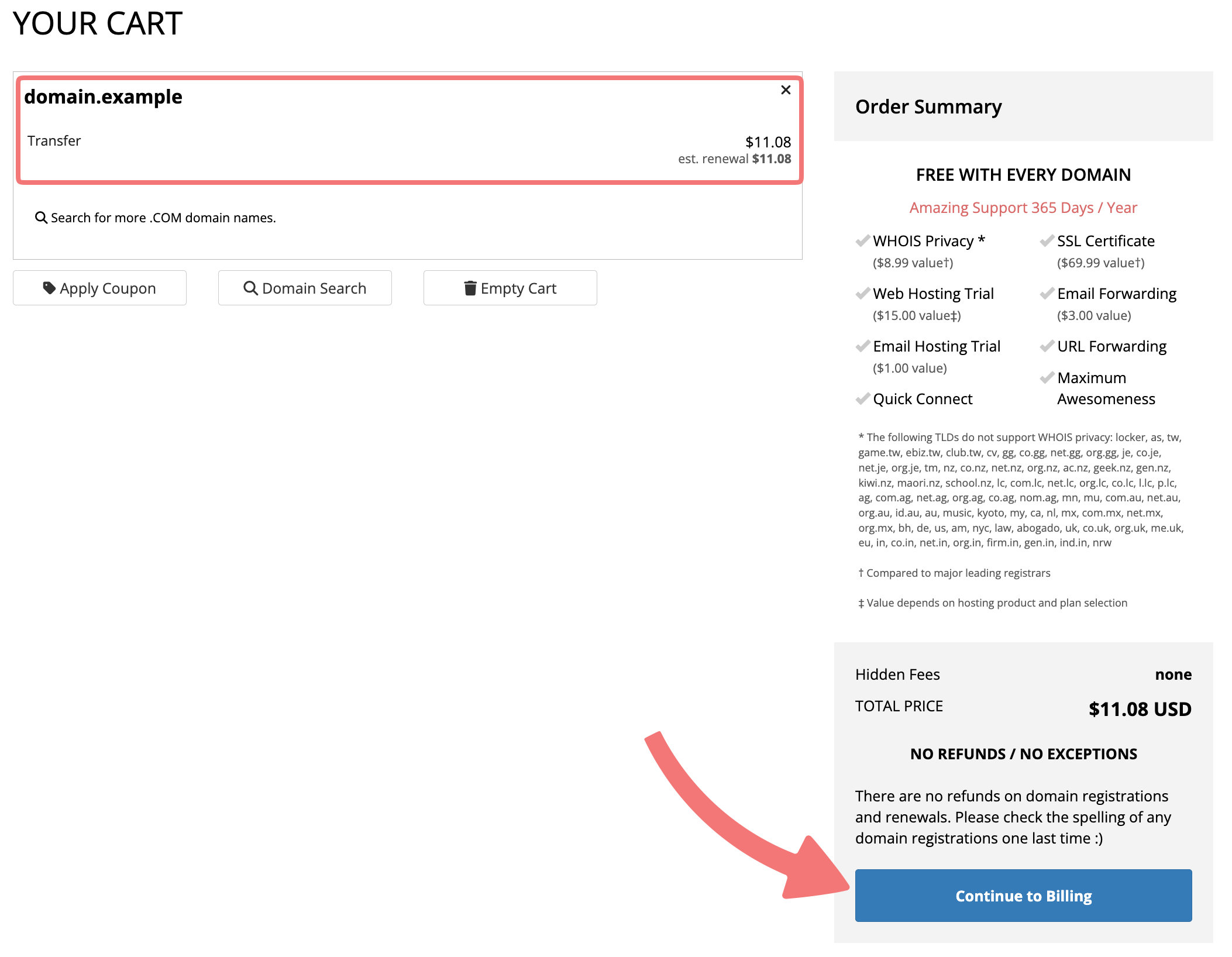
Congratulations on getting the transfer started! If you selected the option to set up your domain's DNS on Porkbun prior to the transfer, follow the next section to finish the process. If you aren't setting up the DNS with Porkbun, skip to the "Speeding up transfers from GoDaddy" section instead.
(Optional) Set up your domain's DNS on Porkbun to avoid downtime
If you selected the option to set up your DNS on Porkbun prior to the transfer, keep reading through this section. If you aren't setting up the DNS with Porkbun, skip to the next section.
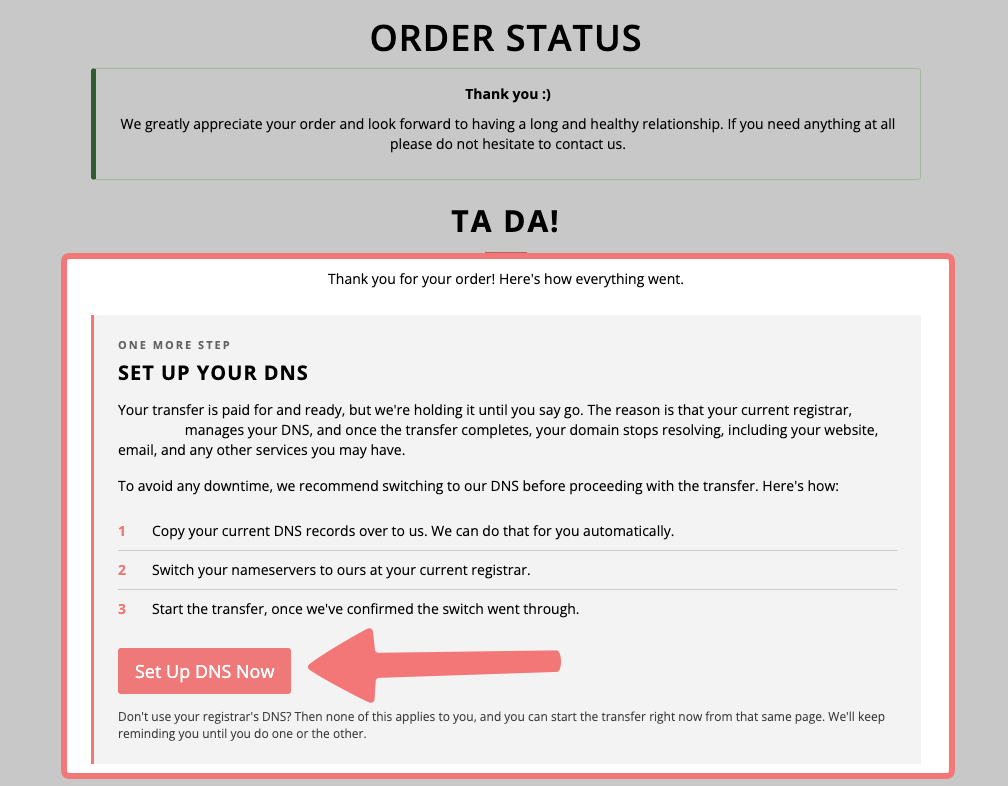
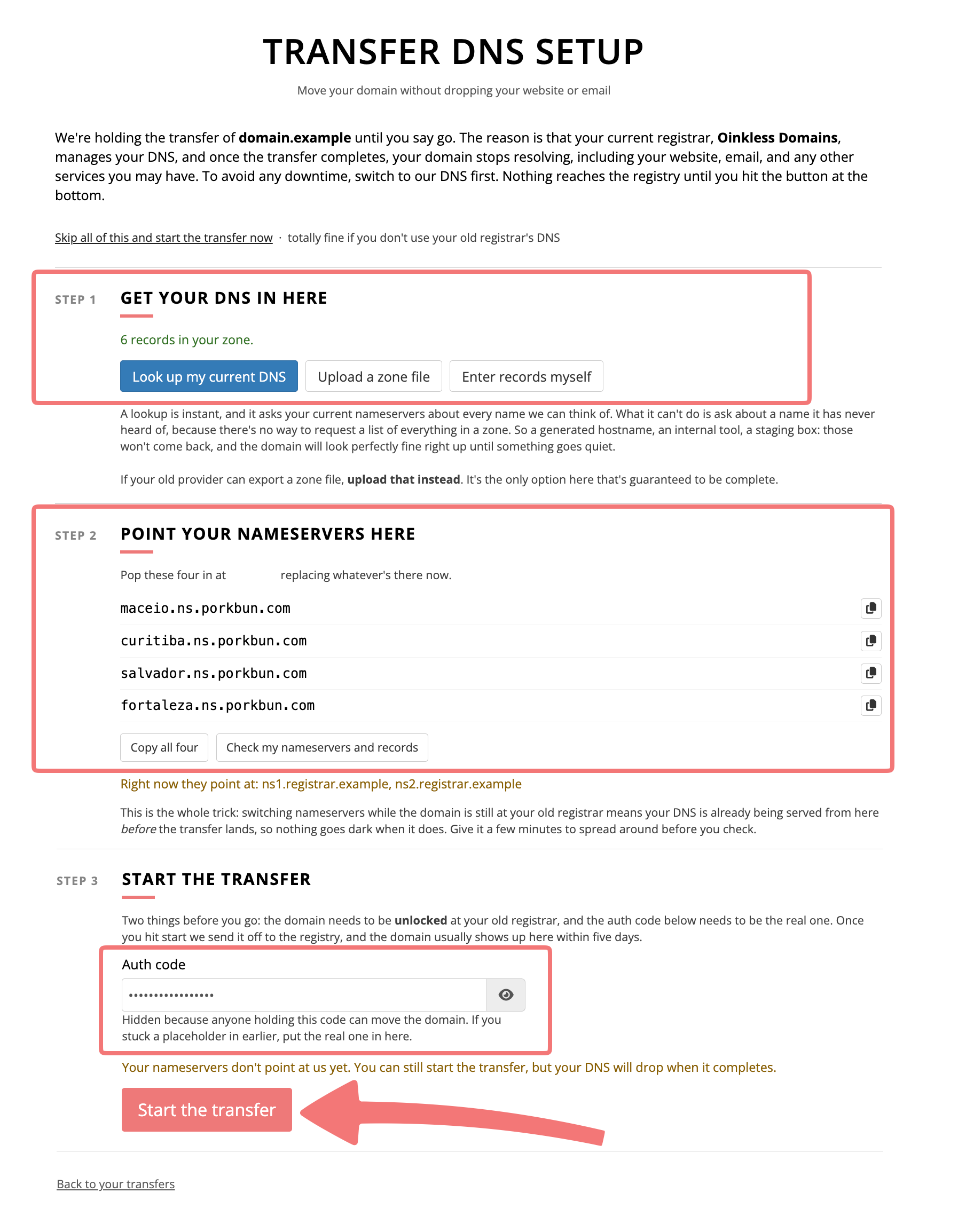
Congratulations! You've started transferring your domain to Porkbun and you've set up the DNS with us to avoid anything going offline after the transfer. You can let the transfer complete on by itself, or you can read the next section for info on how to speed that process up.
How to speed up pending domain transfers from GoDaddy
Now that you’ve initiated the domain transfer from GoDaddy, it can take 5 to 7 days to complete. Fortunately for you, GoDaddy usually doesn't make you wait that long!
Follow this guide from GoDaddy's site to "approve" the transfer, which will expedite the process and finish transferring the domain within 30 minutes or so.
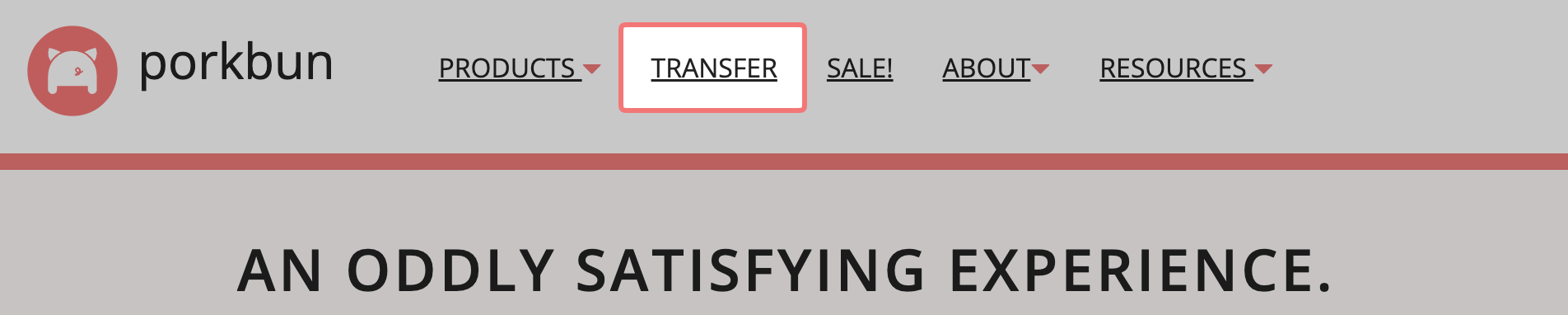
You can check on the status of pending transfers by logging into your Porkbun account and clicking "Transfer" in the navigation bar at the top of the page. Check out our guide for more information on what specific transfer statuses mean.
Note
If your domain expired at GoDaddy before the transfer was approved, they may not allow you to approve the transfer, meaning you'll need to wait the full 5-7 days. You can always ask GoDaddy's support team to clarify this for your particular domain.
Possible issues when transferring a domain
There are a few scenarios where you simply can't transfer a domain from GoDaddy to Porkbun… or anywhere else.
- Was your domain first registered fewer than 60 days ago? If so, you’ll need to wait until the 60-day mark before transferring it to Porkbun. We feel your pain, but our hands are tied.
- Was your domain transferred fewer than 60 days ago? Same deal as above. ICANN rules say a domain must stay at one registrar for 60 days before it can be transferred to another.
- Did your domain expire recently, or is it about to expire? GoDaddy generally allows you ~30 days from the day your domain expired to transfer it to another registrar, but the exact figure varies by domain extension. If it’s close, you may want to renew your domain with GoDaddy first before transferring it to Porkbun to prevent any interruption of service. Please note that domain transfers can take up to five days to complete. Please consult GoDaddy’s expired domain transfer policy or contact GoDaddy support for a definite answer about whether your expired domain will transfer in time.
- Additionally, if you renew an expired domain at GoDaddy, then transfer the domain to Porkbun within 45 days, your registration may not be extended for an additional year. For more information, check out our guide "Do I Lose Domain Registration Time If I Transfer Domains?".
- Does your domain already have more than nine years of registration? Since domains can only ever have ten years registration max, sometimes the registry won't allow transfers that already have nine years of registration.
We're so glad you chose to move your domain to Porkbun! Please feel free to get in touch with our support team if you run into any issues transferring your domain from GoDaddy to Porkbun.