How to Connect a Domain to Articulation
If you've purchased website hosting from Articulation, you may be wondering how to get your domain on Porkbun connected to the website you've built. We'll show you how! Let's get started.
Note
This guide explains how to connect a hosting plan you purchased directly from Articulation. If you are trying to set up the Articulation Site Builder hosting plan through Porkbun, you'll want to follow this guide instead.
Add the domain on Articulation
1
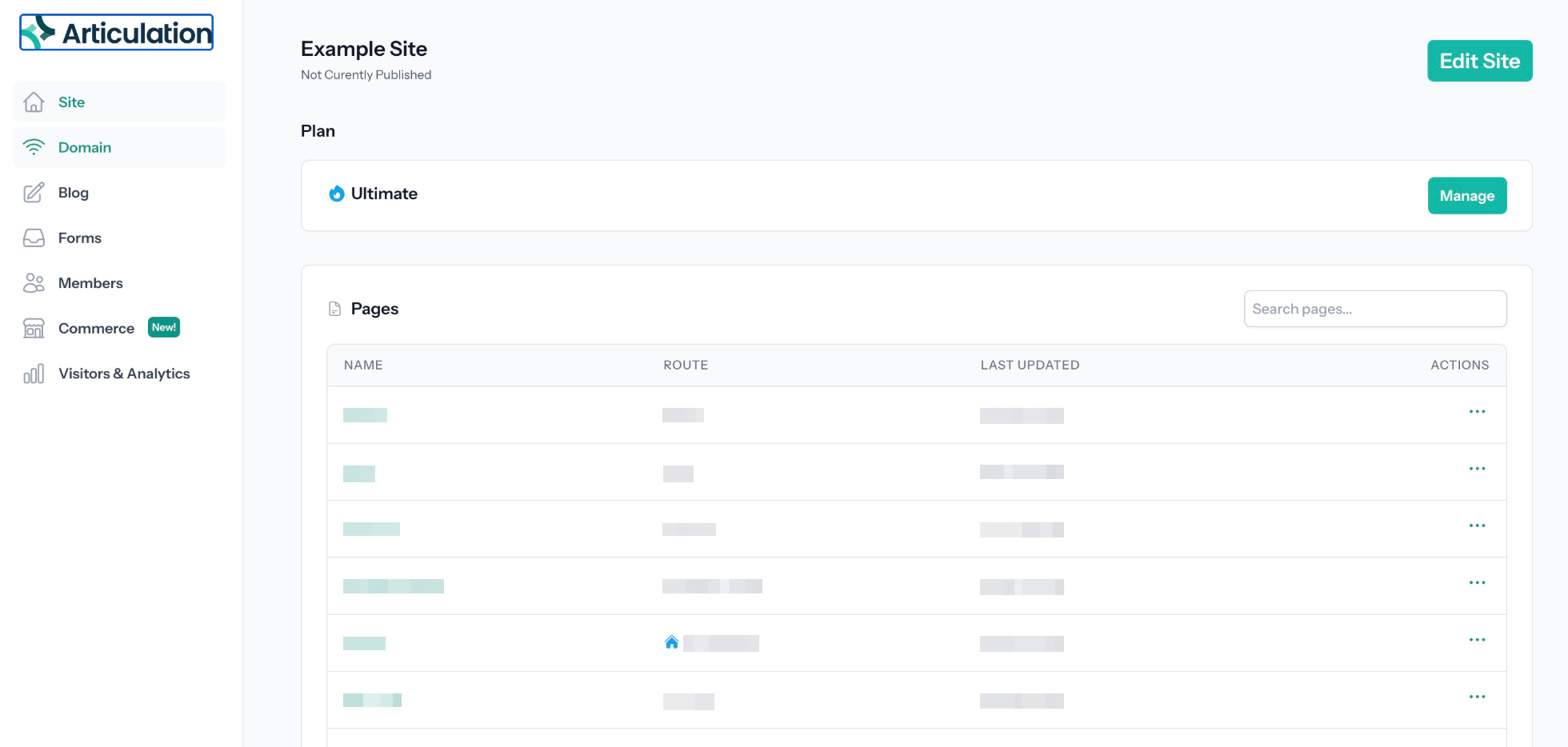
Log in to your Articulation account and navigate to the dashboard for your site.
2
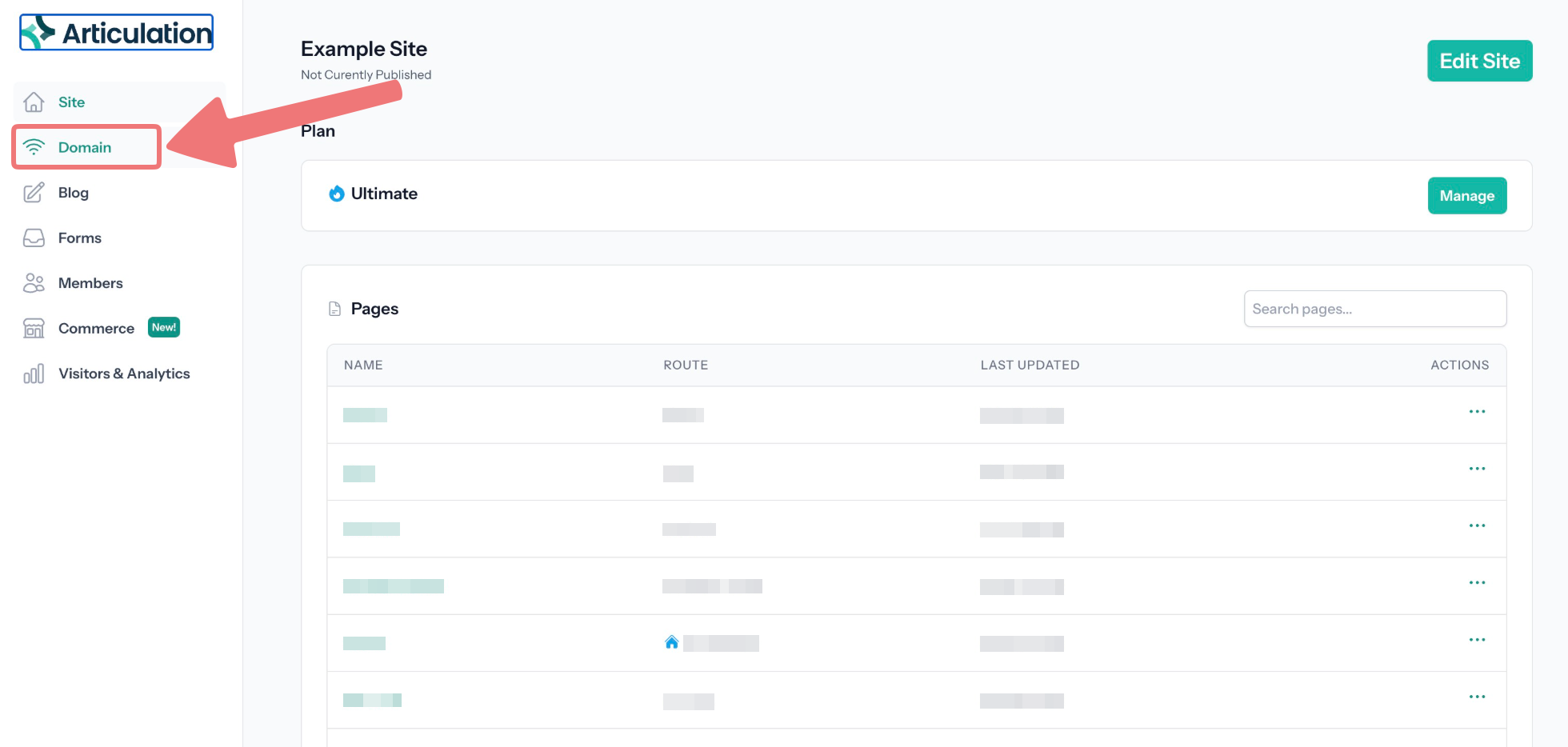
Click on the "Domain" tab on the side menu.
3
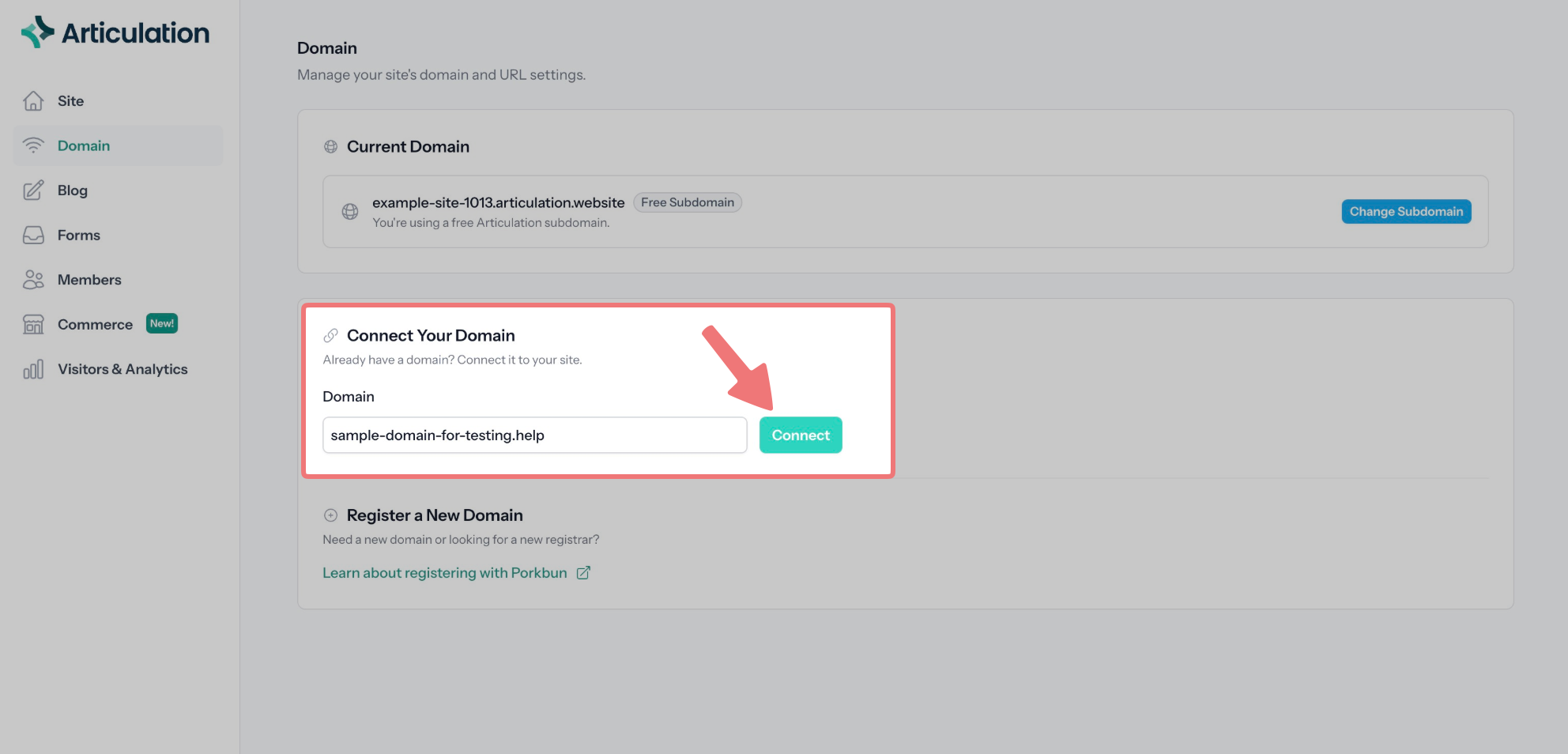
On the Domain page, find the section titled "Connect Your Domain". Enter your domain name (without "www") and click the "Connect" button.
4
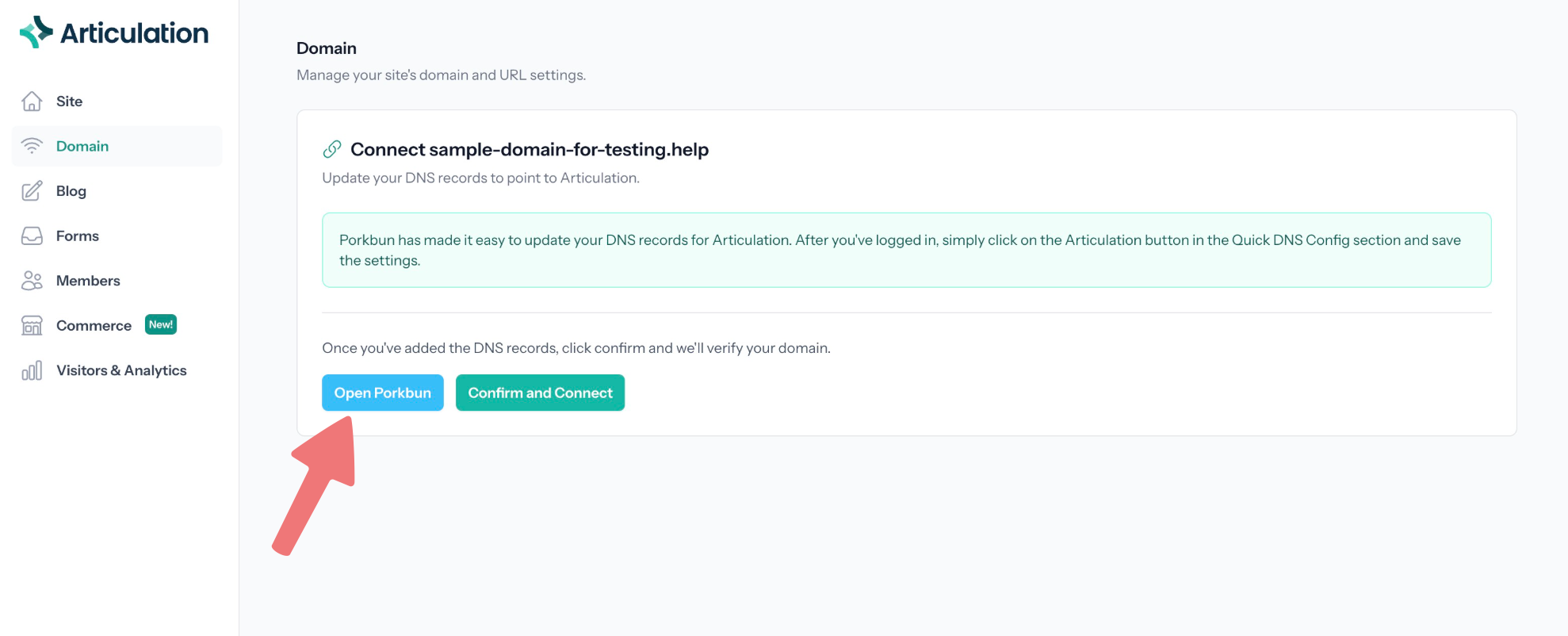
You'll be prompted to update your domain's DNS records to point to Articulation. Click on the "Open Porkbun" button to open our site in a new tab.
Configure your domain's DNS records
1
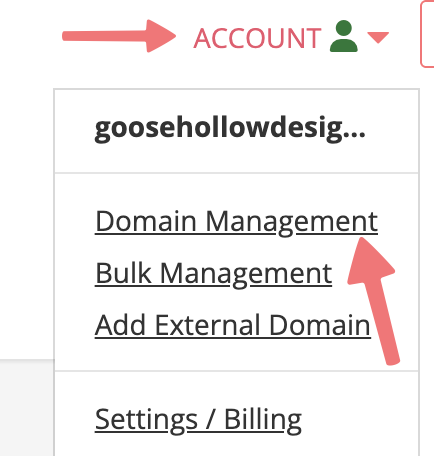
Log in to your Porkbun account. You should arrive at the Domain Management screen. If you're already logged in, click on ACCOUNT in the top-right corner and select Domain Management.
2
Scroll down and locate the domain you're connecting to Articulation. Hover over the domain name itself, which will reveal two options labeled "DNS" and "NS". Click on the "DNS" option.

3
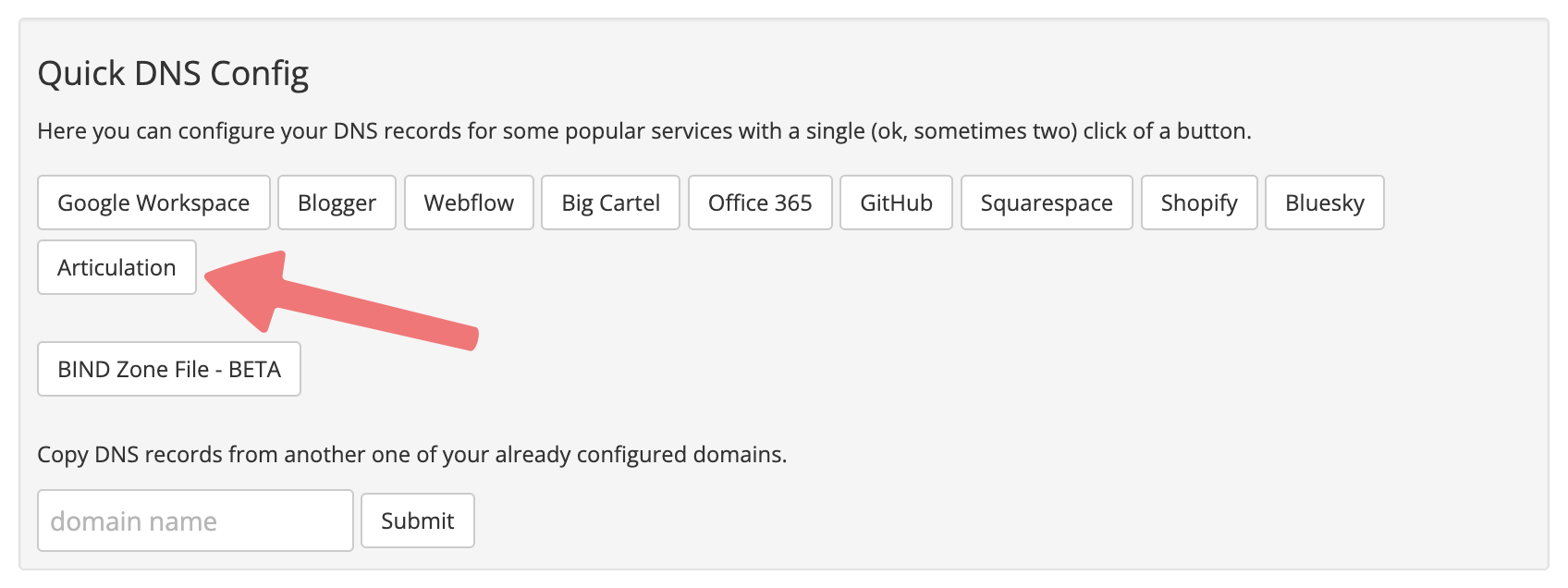
The "Manage DNS Records" menu will appear. Scroll down to the middle section titled "Quick DNS Config". Click on the "Articulation" button.
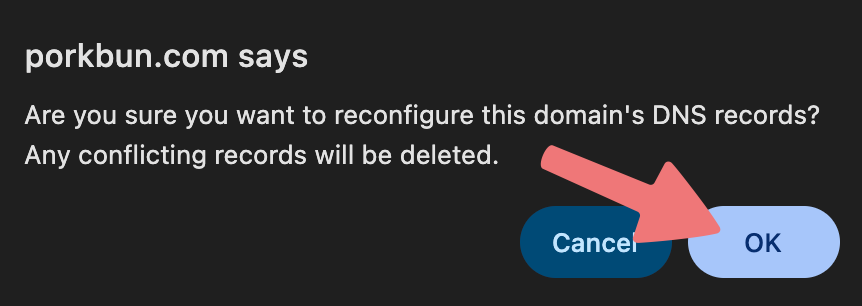
Click "OK" on the browser pop-up to confirm you want to update your domain's DNS records.
4
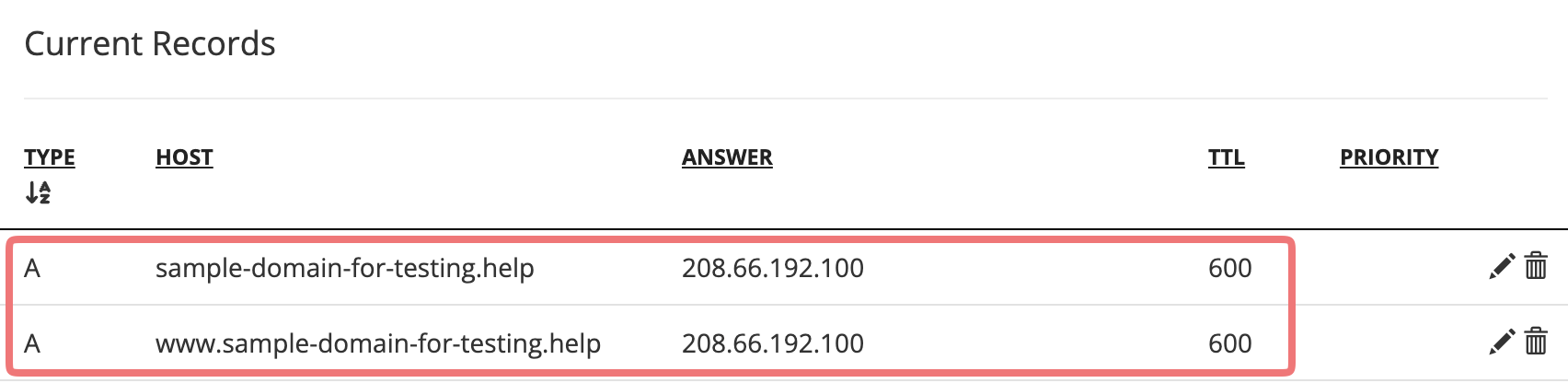
You'll see a success message indicating your domain's records have been updated. On the Manage DNS Records menu, scroll down to the bottom section titled "Current Records". You should see two new DNS records applied to your domain, which will point the domain to your website on Articulation.
5
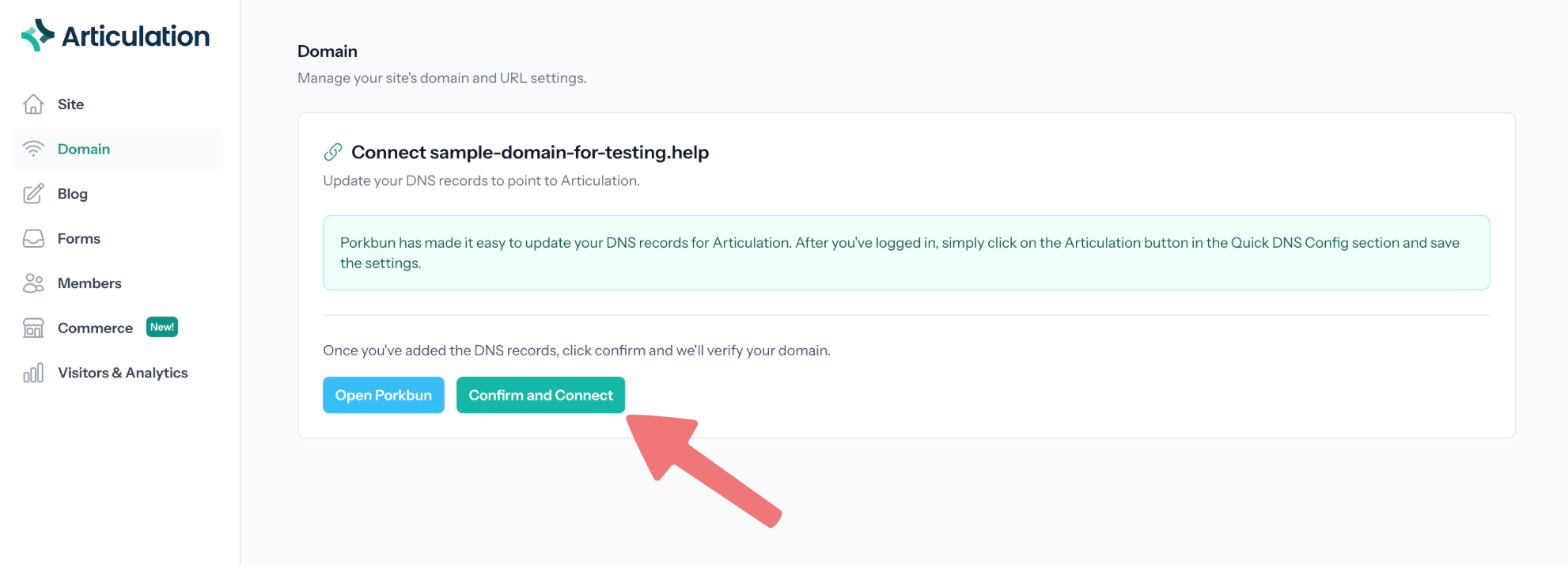
Switch back to your other tab/window with the Articulation dashboard. Click on the "Confirm and Connect" button to finish the domain connection process.
6
Within the next hour or two, your domain will be fully connected to the website you built on Articulation. Publish your Articulation site one more time to ensure the website will show up on the internet once it finishes connecting to your domain.
That's it! Now that your domain is connected, every time you publish a change to your website on Articulation, that will show up on your domain automatically. Feel free to get in touch with our support team if you run into any issues getting your domain connected to Articulation.
