How to add funds to your Porkbun account
Whether you're connecting your bank account for ACH payments, or just purchasing some credit ahead of time to use for future purchases, we'll show you how to purchase account credit with your preferred payment method. Let's get started!
Adding account credit to your cart
1
Log in to your Porkbun account. After logging in, click ACCOUNT on the top-right corner, then select "Settings / Billing" from the menu.

2
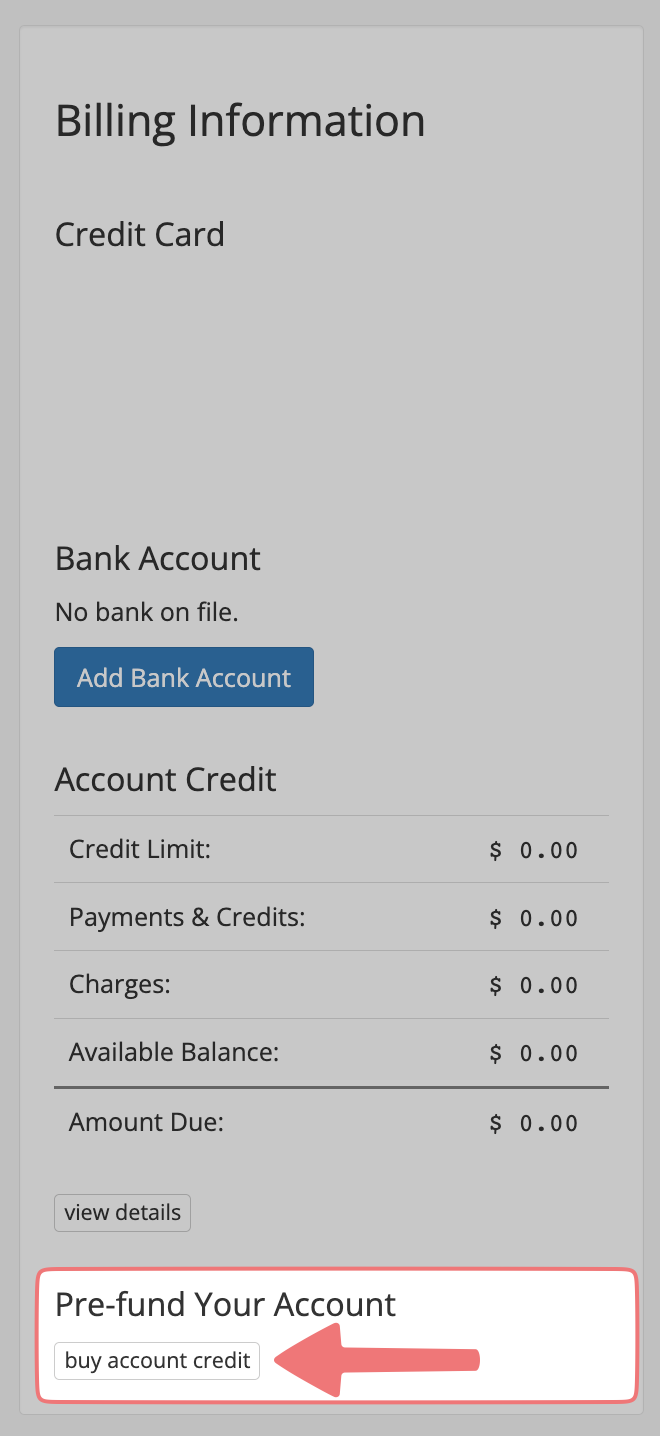
On the Settings / Billing page for your account, locate the "Billing Information" section. At the bottom of the section under the "Pre-fund Your Account" option, click on the button labeled "buy account credit".
3
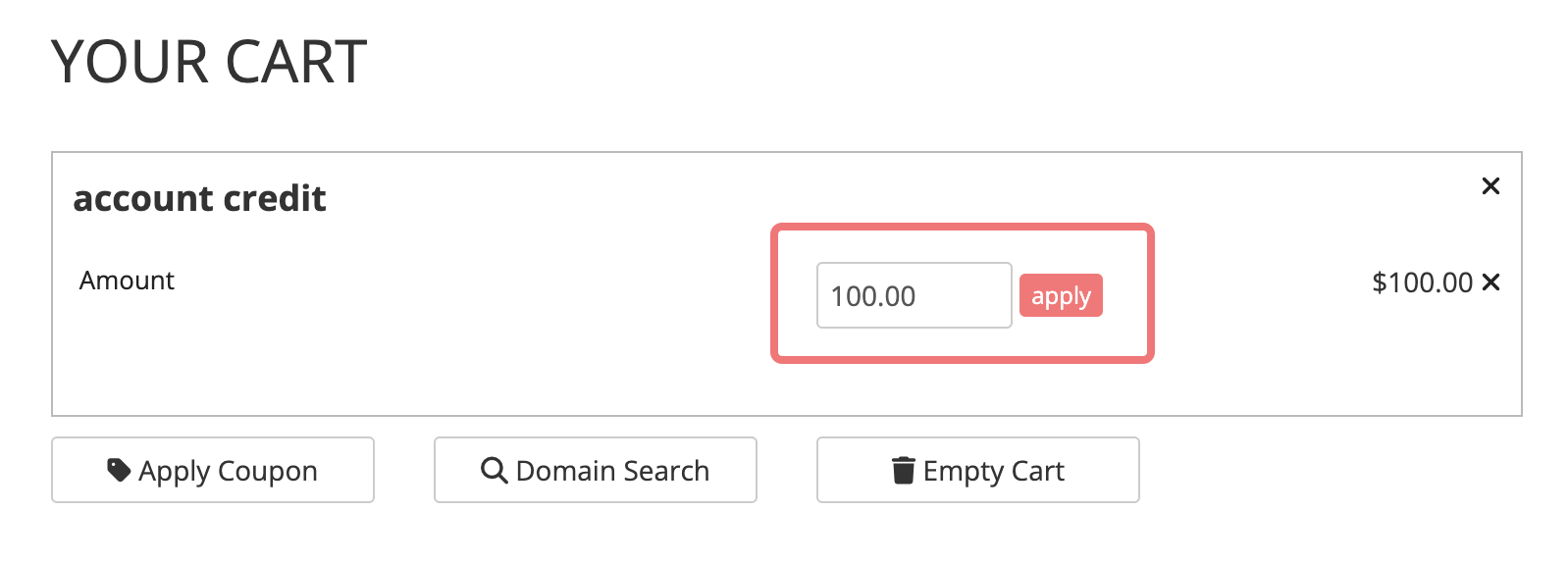
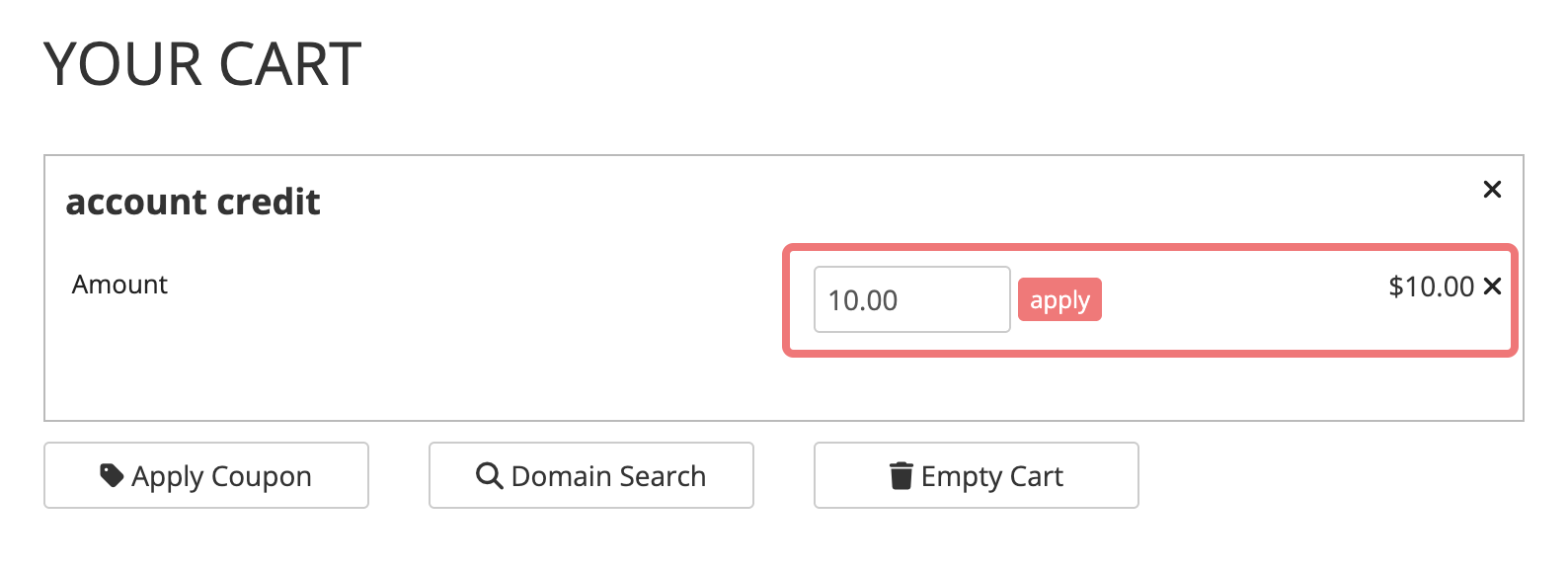
You'll be directed to your cart automatically. By default, you'll see $100 of account credit in the cart. You can adjust the amount of credit you're purchasing (there's a $10 USD minimum), then click "apply" to refresh your cart.
4
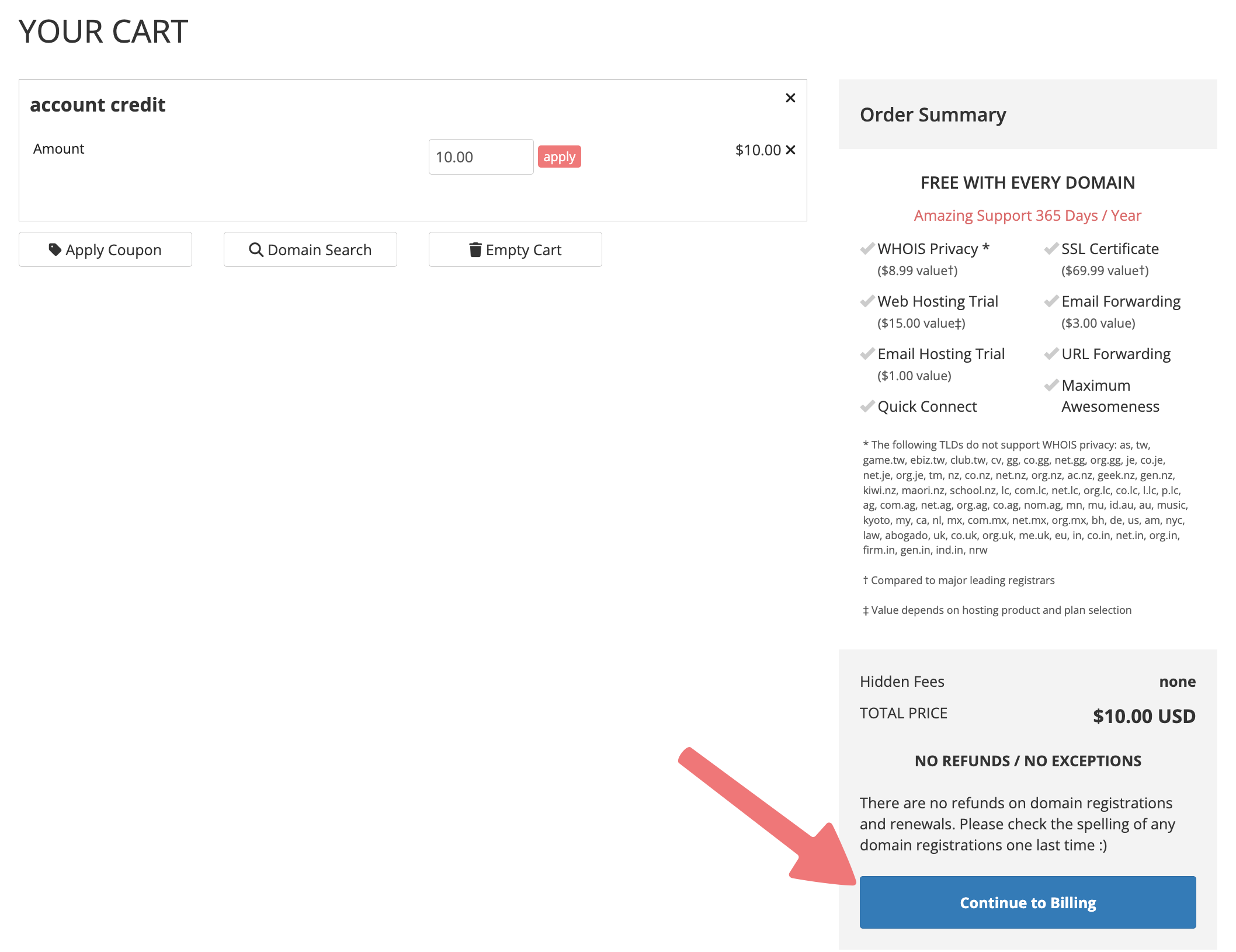
Once you're ready to purchase your account credit, click on the "Continue to Billing" button.
5
You can now proceed through checkout normally! You can use any payment method we offer. To review our accepted payment methods, check out this page.
6
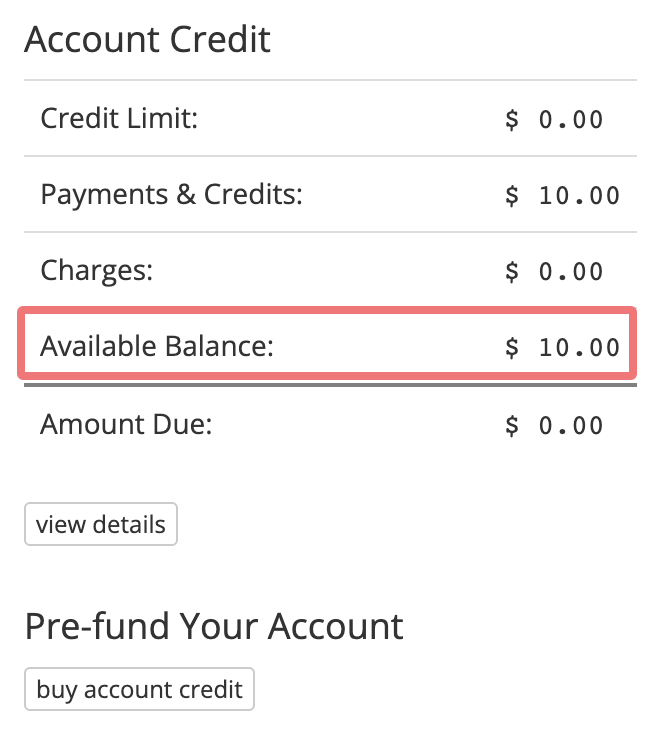
That's it! Once you've finished checking out, you can return to your Settings / Billing page to review your newly purchased account credit. This account credit can be used for future purchases at Porkbun, including automatic renewals.
Connecting your bank account for ACH payments
We have specific guides for connecting your bank account to Porkbun so you can pre-fund your account and take advantage of our special pricing! Check those guides out here:
How to save even more by paying with ACH Bank Transfers
How to Pay with ACH
Feel free to reach out to our support team if you have any questions about making purchases on Porkbun.

